MetaVoice AI Text-to-Speech (TTS) Benchmark: Narrate 100,000 words for only $4.29 on SaladCloud

Note: Do not miss out on listening to voice clones of 10 different celebrities reading Harry Potter and the Sorcerer’s Stone towards the end of the blog. Introduction to MetaVoice-1B MetaVoice-1B is an advanced text-to-speech (TTS) model boasting 1.2 billion parameters, meticulously trained on a vast corpus of 100,000 hours of speech. Engineered with a focus on producing emotionally resonant English speech rhythms and tones, MetaVoice-1B stands out for its accuracy and realistic voice synthesis. One standout feature of MetaVoice-1B is its ability to perform zero shot voice cloning. This feature requires only a 30-second audio snippet to accurately replicate American & British voices. It also includes cross-lingual cloning capabilities demonstrated with as little as one minute of training data for Indian accents. A versatile tool released under the permissive Apache 2.0 license, MetaVoice-1B is designed for long-form synthesis. The architecture of MetaVoice-1B MetaVoice-1B’s architecture is a testament to its innovative design. Combining causal GPT structures and non-causal transformers, it predicts a series of hierarchical EnCodec tokens from text and speaker information. This intricate process includes condition-free sampling, enhancing the model’s cloning proficiency. The text is processed through a custom-trained BPE tokenizer, optimizing the model’s linguistic capabilities without the need for predicting semantic tokens, a step often deemed necessary in similar technologies. MetaVoice cloning benchmark methodology on SaladCloud GPUs Encountered Limitations and Adaptations During the evaluation, we encountered limitations with the maximum length of text that MetaVoice could process in one go. The default token limit is set to 2048 tokens per batch. However, we noticed that even with a smaller number of tokens, the model starts to act differently than expected. To solve the limit issue, we had to preprocess our data by dividing the text into smaller segments, specifically two-sentence pieces, to accommodate the model’s capabilities. To break the text into sentences, we used Punkt Sentence Tokenizer. The text source remained consistent with previous benchmarks, utilizing Isaac Asimov’s “Robots and Empire,” available from Internet Archive: Digital Library of Free & Borrowable Books, Movies, Music & Wayback Machine. For the voice cloning component, we utilized a one-minute sample of Benedict Cumberbatch’s narration. The synthesized output very closely mirrored the distinctive qualities of Cumberbatch’s narration, demonstrating MetaVoice’s cloning capabilities, which are the best we’ve seen yet. Here is a voice-cloning example featuring Benedict Cumberbatch: GPU Specifications and Selection MetaVoice documentation specifies the need for GPUs with VRAM of 12GB or more. Despite this, our trials included GPUs with lower VRAM, which still performed adequately. But this required a careful selection process from SaladCloud’s GPU fleet to ensure compatibility. We standardized each node with 1 vCPU and 8GB of RAM to maintain a consistent testing environment. Benchmarking Workflow The benchmarking procedure was incorporating multi-threaded operations to enhance efficiency. The process involved parallel downloading of parts of text and the voice reference sample from Azure and processing text through MetaVoice model. After completing the cycle, the resulting audio was uploaded back to Azure. This comprehensive workflow was designed to simulate a typical application scenario, providing a realistic assessment of MetaVoice’s operational performance on SaladCloud GPUs. Benchmark Findings: Cost-Performance and Inference Speed Words per Dollar Efficiency Our benchmarking results reveal that the RTX 3080 GPU leads in terms of cost-efficiency for MetaVoice, achieving an impressive 23,300 words per dollar. The RTX 3080 Ti follows closely with 15,400 words per dollar. These figures highlight the resource-intensive nature of MetaVoice, requiring powerful GPUs to operate efficiently. Speed Analysis and GPU Requirements Our speed analysis revealed that GPUs with 10GB or more VRAM performed consistently, processing approximately 0.8 to 1.2 words per second. In contrast, GPUs with lower VRAM demonstrated significantly reduced performance, rendering them unsuitable for running MetaVoice. This aligns with the developers’ recommendation of using GPUs with at least 12GB VRAM to ensure optimal functionality. Cost Analysis for an Average Book To provide a practical perspective, let’s consider the cost of converting an average book into speech using MetaVoice on SaladCloud GPUs. Assuming an average book contains approximately 100,000 words: Creating a narration of “Harry Potter and the Sorcerer’s Stone” by Benedict Cumberbatch would cost around $3.30 with an RTX 3080 and $5.00 with an RTX 3080 Ti. Here is an example of a voice clone of Benedict Cumberbatch reading Harry Potter: Notice that we did not change any model parameters or add business logic. We only added batch processing sentence by sentence. We also cloned other celebrity voices to read out the first page of Harry Potter and the Sorcerer’s Stone. Here’s a collection of different voice clones reading Harry Potter using MetaVoice. MetaVoice GPU Benchmark on SaladCloud – Conclusion In conclusion, the combination of MetaVoice and SaladCloud GPUs presents a cost-effective and high-quality solution for text-to-speech and voice cloning projects. Whether for large-scale audiobook production or specialized projects like celebrity-narrated books, this technology offers a new level of accessibility and affordability in voice synthesis. As we move forward, it will be exciting to see how these advancements continue to shape the landscape of digital content creation. SaladCloud suggests: If you are just looking to generate AI voices, give Veed.io’s AI voice generator a try. With AI voices and AI avatars, Veed.io will generate ultra-realistic text-to-speech audio/video for personal and commercial use. SaladCloudSaladCloud is the world’s largest distributed cloud computing network with 11,000+ daily GPUs and 450,000 GPUs contributing compute, all at the lowest cost in the market.
Whisper Large V3 Speech Recognition Benchmark: 1 Million hours of audio transcription for just $5110
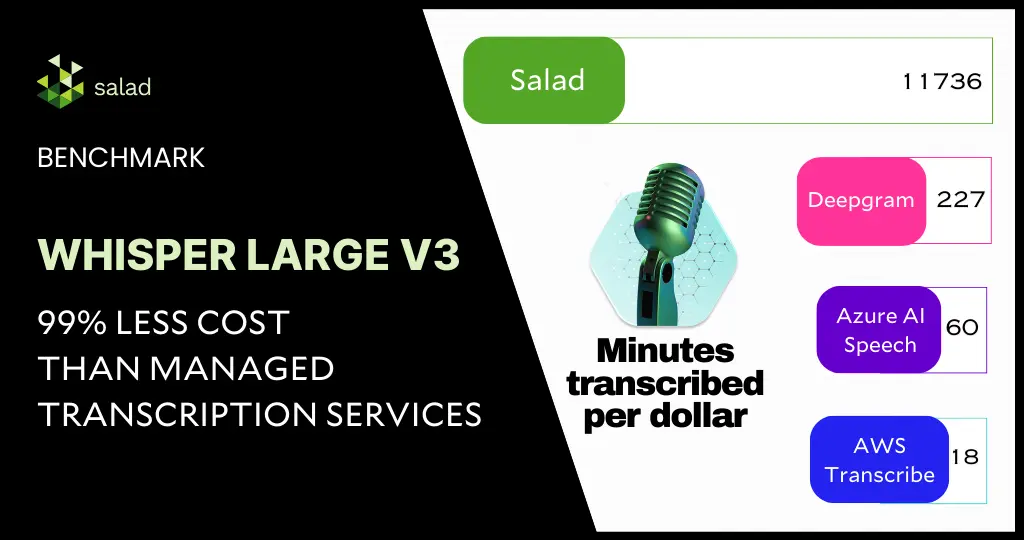
Save over 99.8% on audio transcription using Whisper Large V3 and consumer GPUs A 99.8% cost-savings for automatic speech recognition sounds unreal. However, with the right choice of GPUs and models, this is very much possible and highlights the needless overspending on managed transcription services today. In this deep dive, we will benchmark the latest Whisper Large V3 model from Open AI for inference against the extensive English CommonVoice and Spoken Wikipedia Corpus English (Part1, Part2) datasets, delving into how we accomplished an exceptional 99.8% cost reduction compared to other public cloud providers. Building upon the inference benchmark of Whisper Large V2 and with our continued effort to enhance the system architecture and implementation for batch jobs, we have achieved substantial reductions in both audio transcription costs and time while maintaining the same level of accuracy as the managed transcription services. Behind The Scenes: Advanced System Architecture for Batch Jobs Our batch-processing framework comprises the following: We aimed to keep the framework components fully managed and serverless to closely simulate the experience of using managed transcription services. A decoupled architecture provides the flexibility to choose the best and most cost-effective solution for each component from the industry. Within each node in the GPU resource pool in SaladCloud, two processes are utilized following best practices: one dedicated to GPU inference and another focused on I/O and CPU-bound tasks, such as downloading/uploading, preprocessing, and post-processing. 1) Inference Process The inference process operates on a single thread. It begins by loading the Whisper Large V3 model, warming up the GPU, and then listens on a TCP port by running a Python/FastAPI app in a Unicorn server. Upon receiving a request, it calls the transcription inference and returns the generated assets. The chunking algorithm is configured for batch processing, where long audio files are segmented into 30-second clips, and these clips are simultaneously fed into the model. The batch inference significantly enhances performance by effectively leveraging the GPU cache and parallel processing capabilities. 2) Benchmark Worker Process The benchmark worker process primarily handles various I/O tasks, as well as pre-and post-processing. Multiple threads are concurrently performing various tasks: one thread pulls jobs and downloads audio clips; another thread calls the inference, while the remaining threads manage tasks such as uploading generated assets, reporting job results and cleaning the environment, etc. Several queues are created to facilitate information exchange among these threads. Running two processes to segregate GPU-bound tasks from I/O and CPU-bound tasks and fetching the next audio clips earlier while the current one is still being transcribed allows us to eliminate any waiting period. After one audio clip is completed, the next is immediately ready for transcription. This approach not only reduces the overall processing time for batch jobs but also leads to even more significant cost savings. Deployment on SaladCloud We created a container group with 100 replicas (2 vCPU and 12 GB RAM with 20 different GPU types) in SaladCloud, and ran it for approximately 10 hours. In this period, we successfully transcribed over 2 million audio files, totalling nearly 8000 hours in length. The test incurred around $100 in SaladCloud costs and less than $10 on both AWS and Cloudflare. Results from the Whisper Large v3 benchmark Among the 20 GPU types, based on the current datasets, the RTX 3060 stands out as the most cost-effective GPU type for long audio files exceeding 30 seconds. Priced at $0.10 per hour on SaladCloud, it can transcribe nearly 200 hours of audio per dollar. For short audio files lasting less than 30 seconds, several GPU types exhibit similar performance, transcribing approximately 47 hours of audio per dollar. On the other hand, the RTX 4080 outperforms others as the best-performing GPU type for long audio files exceeding 30 seconds, boasting an average real-time factor of 40. This implies that the system can transcribe 40 seconds of audio per second. For short audio files lasting less than 30 seconds, the best average real-time factor is approximately 8 by a couple of GPU types, indicating the ability to transcribe 8 seconds of audio in just 1 second. Analysis of the benchmark results Different from those obtained in local tests with several machines in a LAN, all these numbers are achieved in a global and distributed cloud environment that provides transcription at a large scale, including the entire process from receiving requests to transcribing and sending the responses. There are various methods to optimize the results. Aiming for reduced costs, improved performance or even both, and different approaches may yield distinct outcomes. The Whisper models come in five configurations of varying model sizes: tiny, base, small, medium, and large(v1/v2/v3). The large versions are multilingual and offer better accuracy, but they demand more powerful GPUs and run relatively slowly. On the other hand, the smaller versions support only English with slightly lower accuracy, but it requires less powerful GPUs and runs very fast. Choosing more cost-effective GPU types in the resource pool will result in additional cost savings. If performance is the priority, selecting higher-performing GPU types is advisable, while still remaining significantly less expensive than managed transcription services. Additionally, audio length plays a crucial role in both performance and cost, and it’s essential to optimize the resource configuration based on your specific use cases and business goals. Discover our open-source code for a deeper dive: Implementation of Inference and Benchmark Worker Docker Images Data Exploration Tool Performance Comparison across Different Clouds The results indicate that AI transcription companies are massively overpaying for the cloud today. With the open-source automatic speech recognition model – Whisper Large V3, and the advanced batch-processing architecture leveraging hundreds of consumer GPUs on SaladCloud, we can deliver transcription services at a massive scale and at an exceptionally low cost while maintaining the same level of accuracy as managed transcription services. With the most cost-effective GPU type for Whisper Large V3 inference on SaladCloud, $1 dollar can transcribe 11,736 minutes of audio (nearly 200 hours), showcasing a 500-fold cost reduction compared to other
Tag 309K Images/$ with Recognize Anything Model++ (RAM++) On Consumer GPUs
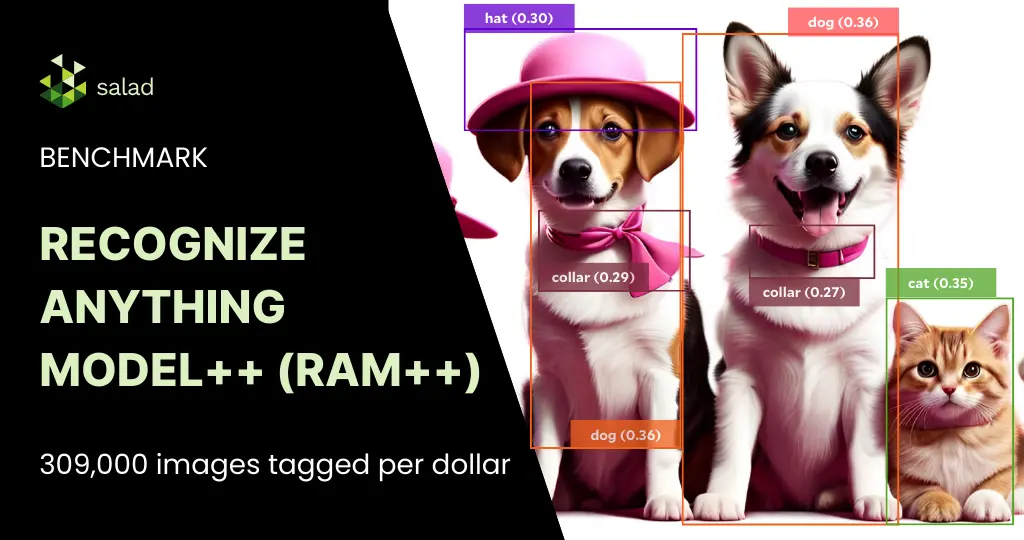
What is the Recognize Anything Model++? The Recognize Anything Model++ (RAM++) is a state of the art image tagging foundational model released last year, with pre-trained model weights available on huggingface hub. It significantly outperforms other open models like CLIP and BLIP in both the scope of recognized categories and accuracy. But how much does it cost to run RAM++ on consumer GPUs? In this benchmark, we tag 144,485 images from the COCO 2017 and AVA image datasets, evaluating inference speed and cost performance. The evaluation was done across 167 nodes on SaladCloud representing 19 different consumer GPU classes. To do this, we created a container group targeting a capacity of 100 nodes with the “Stable Diffusion Compatible” GPU class. All nodes were assigned 2 vCPU and 8GB RAM. Here’s what we found. Up to 309k images tagged per dollar on RTX 2080 In keeping with a trend we often see here, the best cost-performance is coming from the lower end GPUs, RTX 20- and 30-series cards. In general, we find that the smallest/cheapest GPU that can do the job you need is likely to have the best cost-performance, in terms of inferences per dollar. RAM++ is a fairly small, lightweight model (3GB), and achieved its best performance on the RTX 2080, with just over 309k inferences per dollar. Average Inference Time Is <300ms Across All GPUs We see relatively quick inference times across all GPU types, but we also see a pretty wide distribution of performance, even within a single GPU type. Zooming in, we can see this wide distribution is also present within a single node. Further, we see no significant correlation between inference time and number of tags generated. GPU Correlation between inference time and number of tags RTX 2080 0.04255 RTX 2080 SUPER -0.02209 RTX 2080 Ti -0.03439 RTX 3060 0.00074 RTX 3060 Ti 0.00455 RTX 3070 0.00138 RTX 3070 Laptop GPU -0.00326 RTX 3070 Ti -0.01494 RTX 3080 -0.00041 RTX 3080 Laptop GPU -0.09197 RTX 3080 Ti 0.02748 RTX 3090 -0.00146 RTX 4060 0.03447 RTX 4060 Laptop GPU -0.08151 RTX 4060 Ti 0.04153 RTX 4070 0.01393 RTX 4070 Laptop GPU -0.05811 RTX 4070 Ti 0.00359 RTX 4080 0.02090 RTX 4090 -0.03002 Based on this, you should expect to see a fairly wide variation in inference time in production regardless of your GPU selection or image properties. Results from the Recognize Anything Model++ (RAM++) benchmark Consumer GPUs offer a highly cost-effective solution for batch image tagging, coming in between 60x-300x the cost efficiency of managed services like Azure AI Computer Vision. The Recognize Anything paper and code repository offer guides to train and fine-tune this model on your own data, so even if you have unusual categories, you should consider RAM++ instead of commercially available managed services. Resources
Segment Anything Model (SAM) Benchmark: 50K Images/$ on Consumer GPUs
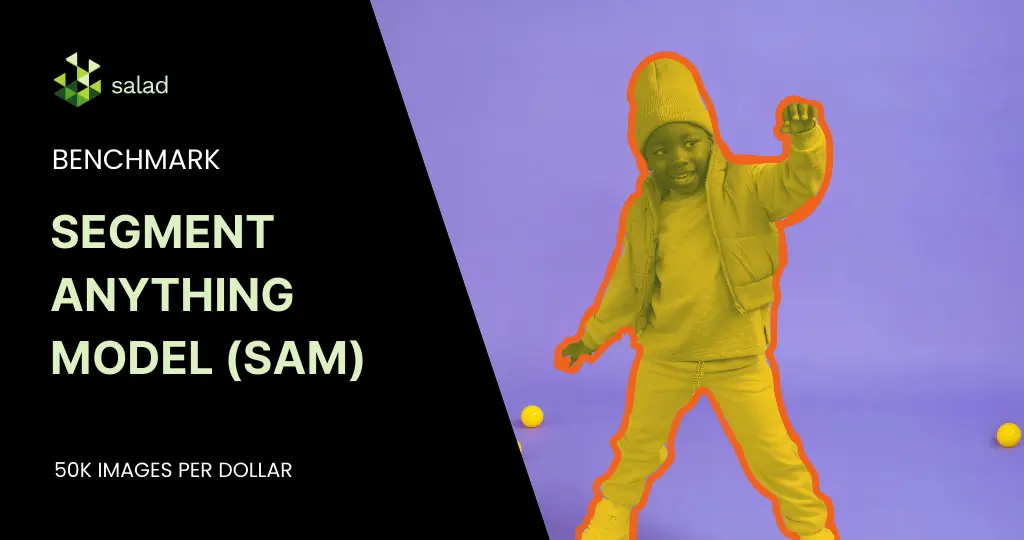
What is the Segment Anything Model (SAM)? The Segment Anything Model (SAM) is a foundational image segmentation model released by Meta AI Research last year, with pre-trained model weights available through the GitHub repository. It can be prompted with a point or a bounding box, and performs well on a variety of segmentation tasks. More importantly, it carries the permissive Apache 2.0 license, allowing commercial use. As companies deploy this model for use cases ranging from image labeling, background removal, inpainting and more, cost of running SAM in production is a primary concern. Benchmarking the Segment Anything Model (SAM) on SaladCloud In this benchmark, we do an unprompted full-image segmentation on 152,848 images from the COCO 2017 and AVA image datasets. We evaluate inference speed and cost-performance across 302 nodes on SaladCloud representing 22 different consumer GPU classes. To do this, we created a container group targeting a capacity of 100 nodes, with the “Stable Diffusion Compatible” GPU class. All nodes were assigned 2 vCPU and 8GB RAM. Here’s what we found. 50K+ images segmented per dollar on RTX 3060 Ti & RTX 3070 Ti As is nearly always the case with smaller models, the best cost-performance is coming from the lower end GPUs, mostly the RTX 30-series cards. In this case, we see a significant bump in cost-performance on the Ti cards. This makes sense since they are priced the same as their non-Ti counterparts but have more CUDA cores. The stand-out performers here are the RTX 3060 Ti, and the RTX 3070 Ti, each offering at least 50k inferences per dollar. Inference time is fairly consistent within a particular node Zooming into performance within a single GPU class – the RTX 3070 Ti, we see that the bulk of inference times fall within a narrow range on any particular node, with some significant outliers. We do see some variability across different nodes, with one standing out as particularly bad. We often see a small amount of variability in performance across nodes on SaladCloud since each one is an individual residential gaming PC with a variety of different CPUs, RAM speeds, motherboard configurations, etc. Our one outlier node (31b6, circled above) is indicative of something anomalous with that machine. We’re always working to get better at detecting these scenarios before your workloads get to a bad machine. But the best practice is to monitor the performance of your application, and terminate nodes that display anomalous behavior. The range of inference time on one of our nodes (67acdb6b) may look concerning at first. But if we zoom in, we see those outlier times are exceedingly uncommon, with the vast majority of inferences clustered within a narrow range. And indeed, if we filter out the outliers, we see a much tighter grouping within each individual node. But we also start to see 2 distinct groupings of machines: It is a little concerning that some machines are 35-40% faster than others, so this gets sent to our engineering team for further investigation. The above cost-performance numbers include all these outliers and variability, so I suspect that it is possible to beat those numbers. Results from the Segment Anything Model (SAM) benchmark The RTX 3060 Ti and RTX 3070 Ti running the Segment Anything Model (SAM) offer a highly cost-effective solution for batch image segmentation, coming in at 50x the cost efficiency of managed services like Azure AI Computer Vision.
Your own ChatGPT for just $0.04/hr – with Ollama, ChatUI and SaladCloud
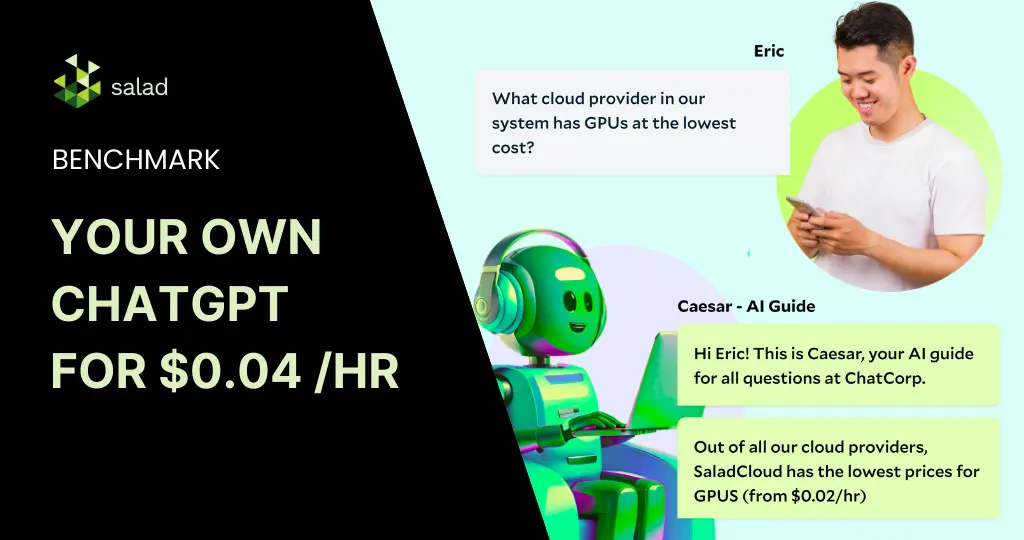
Deploy your own LLM with Ollama & Huggingface Chat UI on SaladCloud How much does it cost to build and deploy a ChatGPT-like product today? The cost could be anywhere from thousands to millions – depending on the model, infrastructure, and use case. Even the same task could cost anywhere from $1000 to $100,000. But with the advancement of open-source models & open infrastructure, there’s been tremendous interest in building a cost-efficient ChatGPT-like tool for various real-life applications. In this article, we explore how tools like Ollama and Huggingface Chat UI can simplify this process, particularly when deployed on Salad’s distributed cloud infrastructure. The challenges in hosting & implementing LLMs In today’s digital ecosystem, Large Language Models (LLMs) have revolutionized various sectors, including technology, healthcare, education, and customer service. Their ability to understand and generate human-like text has made them immensely popular, driving innovations in chatbots, content creation, and more. These models, with their vast knowledge bases and sophisticated algorithms, can converse, comprehend complex topics, write code, and even compose poetry. This makes them highly versatile tools for many enterprise & everyday use cases. However, hosting and implementing these LLMs poses significant challenges. Despite these challenges, the integration of LLMs into platforms continues to grow, driven by their vast potential and the continuous advancements in the field. As solutions like Hugging Face’s Chat UIand SaladCloud continue to offer more accessible and efficient ways to deploy these models, we’re likely to see an even greater adoption and innovation across industries. What is Ollama? Ollama is a tool that enables the local execution of open-source large language models like Llama 2 and Mistral 7B on various operating systems, including Mac OS, Linux, and soon Windows. It simplifies the process of running LLMs by allowing users to execute models with a simple terminal command or an API call. Ollama optimizes setup and configuration, specifically tailoring GPU usage for efficient performance. It supports a variety of models and variants, all accessible through the Ollama model library, making it a versatile and user-friendly solution for running powerful language models locally. Here is a list of supported models: Model Parameters Size Download Llama2 7B 3.8GB ollama run llama2 Mistral 7B 4.1GB ollama run mistral Dolphin Phi 2.7B 1.6GB ollama run dolphin-phi Phi-2 2.7B 1.7GB ollama run phi Neural Chat 7B 4.1GB ollama run neural-chat Starling 7B 4.1GB ollama run starling-lm Code Llama 7B 3.8GB ollama run codellama Llama 2 Uncensored 7B 3.8GB ollama run llama2-uncensored Llama 2 13B 13B 7.3GB ollama run llama2:13b Llama 2 70B 70B 39GB ollama run llama2:70b Orca Mini 3B 1.9GB ollama run orca-mini Vicuna 7B 3.8GB ollama run vicuna LLaVA 7B 4.5GB ollama run llava What is Huggingface Chat UI? Huggingface Chat UI is a powerful tool for practitioners in the Large Language Model (LLM) space looking to deploy a ChatGPT-like conversational interface. It enables interaction with models hostedon Huggingface, leveraging its text generation inference or any custom API powered by LLM. Chat UI has such capabilities as conversational history, memory, authentication, and theming. Huggingface Chat UI is an ideal choice for those looking to create a more engaging and robust conversational agent. Integrating Ollama and Huggingface Chat UI for deploying on SaladCloud The main goal of our project is to integrate Ollama with Huggingface Chat UI and deploy them to SaladCloud.The final version of the code can be found here: GitHub – SaladTechnologies/ollama-chatui In order to achieve our goal, we did the following: 1. Clone Ollama Repository We start by cloning the Ollama repository from Ollama Git Repo. This repository serves as the base of the project.Ollama is a user-friendly tool and can be operated via terminal or as a REST API. In this project, the intention is to run Ollama in a Docker container and connect it to Chat UI. The Dockerfile from Ollama repository shows that it runs on host 0.0.0.0 and port 11434. However, since direct access to Ollama isn’t required but rather through the UI, this configuration will be modified later. 2. Setting Up Huggingface Chat UI Chat UI git repo: GitHub – huggingface/chat-ui: Open source codebase powering the HuggingChat app From the Chat UI Readme, we can see that we need to follow a few steps to make it work in our custom solution: Notice that the path to ollama is specified as http://127.0.0.1:11434. 3. Connecting Ollama and Chat UI We now need to connect Ollama and ChatUI. This involves ensuring that the Chat UI can communicate with the Ollama instance, typically by setting the appropriate port and host settings in the UI configuration to match the Ollama Docker deployment. First we clone the ChatUI repo in our Dockerfile and replace the host that Ollama uses with 127.0.0.1. Next expose port 3000 that is used by ChatUi.We will also replace the entry point with our custom shell script: With this script, we establish the necessary .env.local file and populate it with configurations. Next, we initiate the Ollama server in a separate tmux session to download the desired model. ChatUI is then activated on port 3000. For any adjustments in model settings, refer to the models_config/model.local file. We have also converted the MongoDB URL, Huggingface Token, and Model name into environment variables to facilitate seamless alterations during deployment to SaladCloud. Additionally, a DOWNLOAD_TIME variable is defined. Since Ollama runs in a tmux session, subsequent commands can be executed even if the server isn’t fully operational. To ensure that Ollama is fully active before initiating ChatUI, we incorporate a sleep duration. This duration is model-dependent forinstance, downloading llama2 might take around 8 minutes. 4. Deploying to SaladCloud After setting up and connecting Ollama and Chat UI, the complete system is ready for deployment to Salad’s cloud infrastructure. The integrated solution will be hosted on Salad’s robust cloud platform. Detailed deployment instructions and necessary files are accessible through the Salad Technologies Ollama Chat UI GitHub repository or by pulling the image from the Salad Docker Registry: saladtechnologies/ollama-chatui-salad:1.0.0. To deploy our solution, we need to follow the instructions:
LLM Comparison Through TGI Benchmark Using SaladCloud
In the field of Artificial Intelligence (AI), Text Generation Inference (TGI) has become a vital toolkit for deploying and serving Large Language Models (LLMs). TGI enables efficient and scalable text generation with popular open-source LLMs, including Llama, Falcon, StarCoder, BLOOM, GPT-NeoX, and Mistral. This SaladCloud benchmark dives deep into this technology, with a LLM comparison focused on the performance of popular language models. TGI and Large Language Models TGI is essential for leveraging the capabilities of Large Language Models, which are key to many AI applications today. These models, known for generating text that closely resembles human writing, are crucial for applications ranging from automated customer service to creative content generation.You can easily deploy TGI on SaladCloud using the following instructions: Run TGI (Text Generation Interface) by Hugging Face Experiment design: Benchmarking on SaladCloud Our benchmark study on SaladCloud aims to evaluate and compare select LLMs deployed through TGI. This will provide insights into model performance under varying loads and the efficacy of SaladCloud in supporting advanced AI tasks. Models for comparison We’ve selected the following models for our benchmark, each with its unique capabilities: Test parameters Batch Sizes: The models will be tested with batch sizes of 1, 4, 8, 16, 32, 64, and 128.Hardware Configuration: Uniform hardware setup across tests with 8 vCPUs, 28GB of RAM, and a 24GB GPU card.Benchmarking Tool: To conduct this benchmark, we utilized the Text Generation Benchmark Tool,which is a part of TGI and designed to effectively measure the performance of these models.Model Parameters: We’ve used the default Sequence length of 10 and decode length of 8. Performance metrics The TGI benchmark provides us with the following metrics for each batch we provided: Bigcode/santacoder bigcode/santacoder is part of the SantaCoder series, featuring 1.1 billion parameters and trained on subsets of Python, Java, and JavaScript from The Stack (v1.1). This model, known for its Multi Query Attention and a 2048-token context window, utilizes advanced training techniques like near-deduplication and comment-to-code ratio filtering. The SantaCoder series also includes variations in architecture and objectives, providing diverse capabilities in code generation and analysis. This is the smallest model in our benchmark. Key observations Cost-effectiveness on SaladCloud: bigcode/santacoder A key part of our analysis focused on the cost-effectiveness of running TGI models on SaladCloud. For a batch size of 32, with a compute cost of $0.35 per hour, we calculated the cost per million tokens based on throughput : The cost per token, considering the throughput and compute price, is approximately $0.03047 or about 3.047 cents per million tokens for output and $0.07572 per million input tokens. Tiiuae/falcon-7b Falcon-7B is a decoder-only model with 7 billion parameters. It was built by TII and trained on an extensive 1,500B token dataset from RefinedWeb, enhanced with curated corpora. It is available under the Apache 2.0 license, making it a significant model for large-scale text generation tasks. Key findings Cost-effectiveness on SaladCloud: Tiiuae/Falcon-7b For the tiiuae/falcon-7b model on SaladCloud with a batch size of 32 and a compute cost of $0.35 per hour, the calculated cost per million tokens with a throughput of 744 tokens per second is approximately $0.13095, or about 13.095 cents per million output tokens and $0.28345 per million input tokens. The average decode total latency for batch size 32 is 300.82 milliseconds. While this latency might be slightly higher compared to smaller models, it still falls within a reasonable range for many applications, especially considering the model’s large size of 7 billion parameters. The cost-effectiveness, combined with the model’s capabilities, makes it a viable option for extensive text generation tasks on SaladCloud. Code Llama Code Llama is a collection of generative text models, with the base model boasting 7 billion parameters. It’s part of a series ranging up to 34 billion parameters, specifically tailored for code-related tasks. This benchmark focuses on the base 7B version in Hugging Face Transformers format, designed to handle a wide range of coding applications. The cost for processing one million tokens using the Code Llama model on SaladCloud, with a batch size of 32 and a compute cost of $0.35 per hour, is approximately $0.11826 per million output tokens and $0.28679 per million input tokens. This figure highlights the economic feasibility of utilizing SaladCloud for large-scale text generation tasks with sophisticated models like Code Llama. Mistral-7B-Instruct-v0.1 Mistral-7B-Instruct-v0.1 is an instruct fine-tuned version of the Mistral-7B-v0.1 generative text model. This model leverages a variety of publicly available conversation datasets to enhance its capability to understand and generate human-like, conversational text. Its fine-tuning makes it particularly adept at handling instruction-based queries, setting it apart in the realm of LLMs. Key insights Implications and Cost Analysis The performance of the Mistral-7B-Instruct-v0.1 model on SaladCloud shows promising potential for its use in various AI-driven conversational systems. Its ability to process a high number of tokens per second at a manageable latency makes it a strong contender for applications requiring nuanced language understanding and generation. With a price of $0.35 per hour, we achieve a cost of approximately $0.12153 per million output tokens and $0.27778 per million input tokens. Conclusion – LLM comparison benchmark results Our comprehensive LLM comparison benchmark of various Text Generation Inference (TGI) models on SaladCloud reveals an insightful trend: despite the diversity in the models’ capabilities and complexities, there is a remarkable consistency in cost-effectiveness when using the same compute configuration. Consistent performance and cost-effectiveness Customizable compute options Final thoughts In conclusion, SaladCloud emerges as a compelling choice for deploying and running TGI models. Its ability to provide uniform compute efficiency across a range of models, combined with the option to customize and optimize compute resources, offers both consistency in performance and flexibility in cost management. Whether it’s for large-scale commercial deployments or smaller, more targeted AI tasks, SaladCloud’s platform is well-equipped to meet diverse text generation requirements with an optimal balance of efficiency and cost-effectiveness SaladCloudSaladCloud is the world’s largest distributed cloud computing network with 11,000+ daily GPUs and 450,000 GPUs contributing compute, all at the lowest cost in the market.
YOLOv8 Benchmark: Object Detection on SaladCloud’s GPUs (73% Cheaper Than Azure)
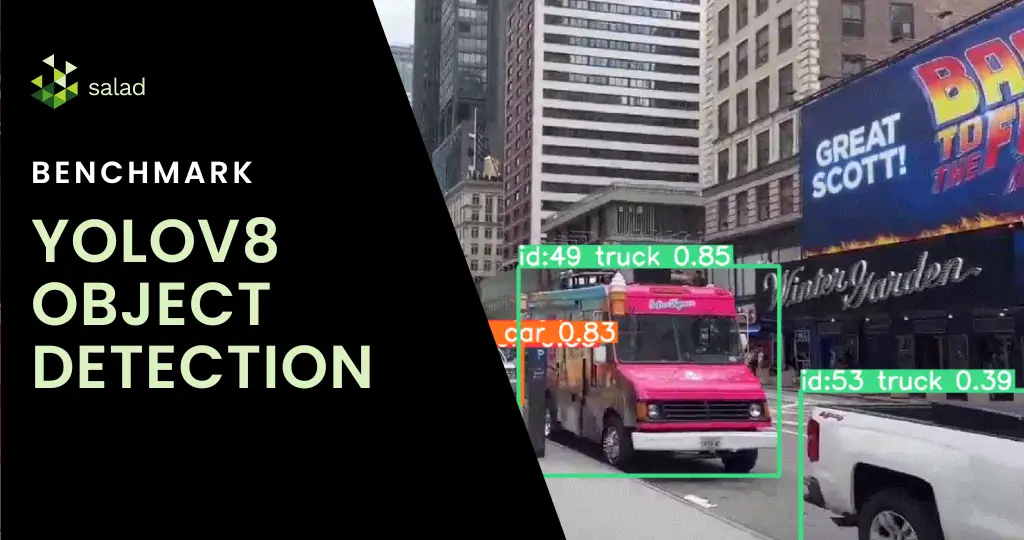
What is YOLOv8? In the fast-evolving world of AI, object detection has made remarkable strides, epitomized by YOLOv8. YOLO (You Only Look Once) is an object detection and image segmentation model launched in 2015, and YOLOv8s is the latest version, which was developed by Ultralytics. The algorithm is not just about recognizing objects; it’s about doing so in real time with unparalleled precision and speed. From monitoring fast-paced sports events to overseeing production lines, YOLOv8 is transforming how we see and interact with moving images. With features like spatial attention, feature fusion, and context aggregation modules, YOLOv8 is being used extensively in agriculture, healthcare, and manufacturing, among others. In this YOLOv8 benchmark, we compare the cost of running YOLO on SaladCloud and Azure. Running object detection on SaladCloud’s GPUs: A fantastic combination YOLOv8 can be run on GPUs as long as they have enough memory and support CUDA. But with the GPU shortage and high cost, you need GPUs rented at affordable prices to make the economics work. SaladCloud’s network of 10,000+ Nvidia consumer GPUs has the lowest prices in the market and is a perfect fit for YOLOv8. Deploying YOLOv8 on SaladCloud democratizes high-end object detection, offering it a scalable, cost-effective cloud platform for mainstream use. With GPUs starting at $0.02/hour, SaladCloud offers businesses and developers an affordable, scalable solution for sophisticated object detection at scale. A deep dive into live stream video analysis with YOLOv8 This benchmark harnesses YOLOv8 to analyze not only pre-recorded but also live video streams. The process begins by capturing a live stream link, followed by real-time object detection and tracking. Using GPU’s on Saladcloud, we can process each video frame in less then 10 milliseconds, which is 10 times faster then using a CPU. Each frame’s data is meticulously compiled, yielding a detailed dataset that provides timestamps, classifications, and other critical metadata. As a result, we get a nice summary of all the objects present in our video: How to run YOLOv8 on SaladCloud’s GPUs We introduced a FastAPI with a dual role: it processes video streams in real time and offers interactive documentation via Swagger UI. You can process live streams from YouTube, RTSP, RTMP, and TCP, as well as regular videos. All the results will be saved in an Azure storage account you specify. All you need to do is send an API call with the video link, check if the video is a live stream or not, and store account information and timeframes of how often you want to save the results. We also integrated multithreading capabilities, allowing multiple video streams to be processed simultaneously. Deploying on SaladCloud In our step-by-step guide, you can go through the full deployment journey on SaladCloud. We configured container groups, set up efficient networking, and ensured secure access. Deploying the FastAPI application on SaladCloud proved to be not just technically feasible but also cost-effective, highlighting the platform’s efficiency. Price comparison: Processing live streams and videos on Azure and SaladCloud When it comes to deploying object detection models, especially for tasks like processing live streams and videos, understanding the cost implications of different cloud services is crucial. Let’s do some price comparison for our live stream object detection project: Context and Considerations Live Stream Processing: Live streams are unique in that they can only be processed as the data is received. Even with the best GPUs, the processing is limited to the current feed rate. Azure’s Real-Time Endpoint: We assume the use of an ML Studio real-time endpoint in Azure for a fair comparison. This setup aligns with a synchronous process that doesn’t require a fully dedicated VM. Azure Pricing Overview We will now compare the compute prices in Azure and SaladCloud. Note that in Azure you can not pick RAM, vCpu and GPU memory separately. You can only pick preconfigured computes. With SaladCloud, you can pick exactly what you need. Lowest GPU Compute in Azure: For our price comparison, we’ll start by looking at Azure’s lowest GPU compute price, keeping in mind the closest model to our solution is YOLOv5. 1. Processing a Live Stream Service Configuration Cost per hour Remarks Azure 4 core, 16GB RAM (No GPU) $0.19 General purpose compute, no dedicated GPU SaladCloud 4 vCores, 16GB RAM $0.032 Equivalent to Azure’s general compute Percentage Cost Difference for General Compute SaladCloud is approximately 83% cheaper than Azure for general compute configurations. 2. Processing with GPU Support. This is the GPU Azure recommends for yolov5. Service Configuration Cost per hour Remarks Azure NC16as_T4_v3 (16 vCPU, 110GB RAM, 1 GPU) $1.20 Recommended for YOLOv5 SaladCloud Equivalent GPU Configuration $0.326 SaladCloud’s equivalent GPU offering Percentage Cost Difference for GPU Compute SaladCloud is approximately 73% cheaper than Azure for similar GPU configurations. YOLOv8 deployment on GPUs in just a few clicks You can deploy YOLOv8 in production on SaladCloud’s GPUs in just a few clicks. Simply download the code from our GitHub repository or pull our ready-to-deploy Docker container from the SaladCloud Portal. It’s as straightforward as it sounds – download, deploy, and you’re on your way to exploring the capabilities of YOLOv8 in real-world scenarios. Check out SaladCloud documentation for quick guides on how to start using our batch or synchronous solutions. Check out our step-by-step guide To get a comprehensive step-by-step guide on how to deploy YOLOv8 on SaladCloud, check out our step-by-step guide here. In this guide, we will show: This process is fully customizable to your needs. Follow along, make modifications, and experiment to your heart’s content. Our guide is designed to be flexible, allowing you to adjust and enhance the deployment of YOLOv8 according to your project requirements or curiosity. We are excited about the potential enhancements and extensions of this project. Future considerations include broadening cloud integrations, delving into custom model training, and exploring batch processing capabilities. SaladCloudSaladCloud is the world’s largest distributed cloud computing network with 11,000+ daily GPUs and 450,000 GPUs contributing compute, all at the lowest cost in the market.
Bark Benchmark: Reading 144K Recipes with Text-to-Speech on SaladCloud
Speech Synthesis with suno-ai/bark When you think of speech synthesis, you might think of a very robotic-sounding voice, like this one from 1979. Maybe you think of more modern voice assistants, like Siri or the Google Assistant. While these are certainly improvements over what we had in the 1970s, they still wouldn’t be mistaken for recordings of actual humans. Enter Bark text-to-speech, a generative AI model like Stable Diffusion or ChatGPT developed by Suno AI. Like these other generative models, Bark takes a text prompt and creates something new. However, it doesn’t produce images or more text. From their GitHub page: “Bark can generate highly realistic, multilingual speech as well as other audio – including music, background noise and simple sound effects. The model can also produce nonverbal communications like laughing, sighing and crying.” This is a fundamental departure from previous generations of speech synthesis. Bark does not try to break down text into phonemes for recreation by a recorded voice. Rather, it “predicts” what an audio recording might be like, based on the text it’s given. The result is much more natural sounding speech and other conversational sounds. Bark is also an important generative AI model because it is freely available for commercial use, and can run on very modest hardware, including consumer GPUs with minimal vRAM. We set out to benchmark Bark across a range of consumer hardware configurations using Salad’s GPU Cloud. Benchmarking Bark text-to-speech model on Consumer GPUs You know we like to keep things food-related here at Salad, so we selected this Food.com Recipe Dataset from Kaggle, a collection of a couple hundred thousand recipes, along with reviews of those recipes. We’re going to have Bark read these recipes out for us. If you’d like to follow along, we’ll be working with Python 3.10 throughout this project. Unlike some of our other benchmarks, our goal here is not to demonstrate that SaladCloud is the most cost-effective platform for AI inference. Rather, we want to leverage some unique capabilities of Salad’s distributed cloud to evaluate Bark’s performance across a wide range of consumer GPUs. And, if I’m being totally honest, I just thought this would be a fun project. You can skip straight to the outputs if that’s what you’re here for. Architecture We’ll be using our standard batch processing framework for this, the same we’ve used for many other benchmarks, including Whisper Large and SDXL. Data Preparation First, we need to download our dataset. Kaggle is free, but does require an account. Once you have an account, you’ll need to grab your API token from your account settings. Clicking the “Create New Token” button will initiate a download of a file called kaggle.json. Place the file in your home directory at ~/.kaggle/kaggle.json. This will allow you to authenticate requests with the Kaggle CLI. Now we have a folder called food-com-recipes-and-user-interactions that contains the following files: Our first step is to load up our recipes and interactions in a pandas DataFrame. This step may take several minutes. Let’s take a peek and see what we’re working with. Ok, so we have 231,637 recipes, with fields like “id”, “name”, “description”, and “steps”. There’s some other fields as well, but we won’t be using them for this project. Let’s check out our review data. In our review data, we have 1,132,367 reviews, each of which has a “recipe_id” and a “rating.” Let’s see our top recipes by average review: Interestingly, we see a lot of recipes with an average rating of 0.0. Maybe we should filter this down to only recipes with “good” reviews, over 4.5. Ok, now we’ve got 144,177 recipes that have received an average rating of at least 4.5. Now we can merge this table into the recipe table, and get a collection of recipe data, but only for recipes with a rating of at least 4.5. One thing to note here is that although steps look like a list of strings, it is, in fact, just a string. Since our goal is to write a “script” for Bark to read, we’re going to want these strings parsed into lists. We’re going to use the ast module to safely evaluate these strings into python lists. Ok, now we need to turn this data into a “script”: something that will sound a little more natural when Bark reads it. I admit that I was tempted to use a large language model (LLM) like Llama 2 for this, and the results would have likely been better and sound more natural. However, for the sake of expediency, I’m just going to use a simple python function to stitch each row into a script. Let’s test it on our first row. This will be good enough for this project. We can see there are some typos in the original data, and it’ll be interesting to see how Bark handles those. However, we have a new problem now, which is that Bark works best with about 13 seconds of spoken text. Our script is quite a bit longer than that, so we’re going to have to chop it up into smaller chunks. According to a quick Google search, the average speaking rate is 2.5 words per second, which would translate to a maximum of 32.5 words that Bark will happily do in one clip. Let’s round that down to 30, just to be safe. However, we don’t just want to split the script every 30 words. Ideally, we would only include whole sentences for each segment so that Bark can do a better job of tone and cadence. There are Natural Language Processing (NLP) techniques to do this with greater accuracy, but again, for expediency, we’re going to do this the simple way. Let’s see how that works: Ok, that’s pretty good. Let’s move forward with this solution. Bark includes a large number of voice presets, but since our data is all English, we’re going to use just the English language voices. There’s 10 of those, numbered 0-9. We’ll
Stable Diffusion XL (SDXL) Benchmark – 769 Images Per Dollar on SaladCloud
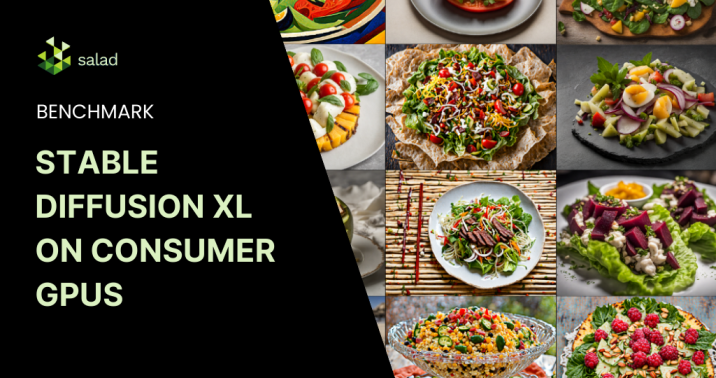
Stable Diffusion XL (SDXL) Benchmark A couple months back, we showed you how to get almost 5000 images per dollar with Stable Diffusion 1.5. Now, with the release of Stable Diffusion XL, we’re fielding a lot of questions regarding the potential of consumer GPUs for serving SDXL inference at scale. The answer from our Stable Diffusion XL (SDXL) Benchmark is a resounding yes. In this benchmark, we generated 60.6k hi-res images with randomized prompts on 39 nodes equipped with RTX 3090 and RTX 4090 GPUs. We saw an average image generation time of 15.60s at a per-image cost of $0.0013. At 769 SDXL images per dollar, consumer GPUs on Salad’s distributed cloud are still the best bang for your buck for AI image generation, even when enabling no optimizations on SaladCloud and all optimizations on AWS. Architecture We used an inference container based on SDNext, along with a custom worker written in Typescript that implemented the job processing pipeline. The worker used HTTP to communicate with both the SDNext container and with our batch framework. Our simple batch-processing framework comprises: Discover our open-source code for a deeper dive: Deployment on SaladCloud We set up a container group targeting nodes with 4 vCPUs, 32GB of RAM, and GPUs with 24GB of vram, which includes the RTX 3090, 3090 ti, and 4090. We filled a queue with randomized prompts in the following format: We used ChatGPT to generate roughly 100 options for each variable in the prompt and queued up jobs with 4 images per prompt. SDXL is composed of two models, a base and a refiner. We generated each image at 1216 x 896 resolution, using the base model for 20 steps and the refiner model for 15 steps. You can see the exact settings we sent to the SDNext API. Results – 60,600 Images for $79 Over the benchmark period, we generated more than 60k images, uploading more than 90GB of content to our S3 bucket, incurring only $79 in charges from SaladCloud, which is far less expensive than using an A10g on AWS, and orders of magnitude cheaper than fully managed services like the Stability API. We did see slower image generation times on consumer GPUs than on data center GPUs, but the cost differences give SaladCloud the edge. While an optimized model on an A100 did provide the best image generation time, it was by far the most expensive per image of all methods evaluated. Grab a fork and see all the salads we made here on our GitHub page. Future Improvements For comparison with AWS, we gave them several advantages that we did not implement in the container we ran on SaladCloud. In particular, torch.compile isn’t practical on SaladCloud because it adds 40+ minutes to the container’s start time, and Salad’s nodes are ephemeral. However, such a long start time might be an acceptable tradeoff in a datacenter context with dedicated nodes that can be expected to stay up for a very long time, so we did use torch.compile on AWS. Additionally, we used the default fp32 variational autoencoder (vae) in our SaladCloud worker, and an fp16 vae in our AWS worker, giving another performance edge to the legacy cloud provider. Unlike re-compiling the model at start time, including an alternate vae is something that would be practical to do on SaladCloud, and is an optimization we would pursue in future projects. SaladCloud – Still The Best Value for AI/ML Inference at Scale SaladCloud remains the most cost-effective platform for AI/ML inference at scale. The recent benchmarking of Stable Diffusion XL further highlights the competitive edge this distributed cloud platform offers, even as models get larger and more demanding.
Whisper Large Inference Benchmark: 137 Days of Audio Transcribed in 15 Hours for Just $117
Save Over 99% On Audio Transcription Using Whisper-Large-v2 and Consumer GPUs Harnessing the power of OpenAI’s Whisper Large V2, an automatic speech recognition model, we’ve dramatically reduced audio transcription costs and time. Here’s a deep dive into our benchmark against the substantial English CommonVoice dataset and how we achieved a 99.1% cost reduction. A Costly Comparison Traditionally, utilizing a managed service like AWS Transcribe would set you back about $10,500 for transcribing the entirety of the English CommonVoice dataset. Using a custom model? That’s an even steeper $13,134. In contrast, our approach using Whisper on SaladCloud incurred just $117, achieving the same result. Behind The Scenes: Our Architecture Our simple batch-processing framework comprises: We wanted to keep the framework components fully managed and serverless to provide as close of an analog as possible to using managed transcription services. The framework itself incurred a cost of $28 during transcription, mainly due to S3 costs associated with uploading and downloading millions of files. This amount does not include any costs from the node pool. Discover our open-source code for a deeper dive: Deployment on SaladCloud With our inference container and services ready, we leveraged SaladCloud’s Public API. We used the API to deploy 2 identical container groups with 100 replicas each, all using the modest RTX 3060 with only 12GB of vRAM. We filled the job queue with urls to the 2.2 million audio clips included in the dataset, and hit start on our container groups. Our tasks were completed in a mere 15 hours, incurring $89 in costs from SaladCloud, and $28 in costs from our batch framework. Performance Comparison of Whisper-Large-v2 Across Different Clouds The result? An average transcription rate of one hour of audio every 16.47 seconds, translating to an impressive $0.00059 per audio minute. Notably, SaladCloud’s cost-performance ratio dramatically outshined major competitors, even when deploying custom models. It’s worth noting that AWS Transcript’s billing structure can greatly inflate costs for shorter audio clips (which comprise most of the CommonVoice corpus), a setback not encountered on per-second billing platforms, and their cost performance would likely improve somewhat when transcribing longer content. We tried to set up an apples-to-apples comparison by running our same batch inference architecture on AWS ECS…but we couldn’t get any GPUs. The GPU shortage strikes again. Optimizing Further While our benchmark results are already quite compelling, there are areas we’ve identified for potential performance enhancements: By integrating these process improvements, we anticipate that the overall transcription throughput could see an enhancement of 20-50% on this dataset. This would not only reduce processing time but also lead to even more significant cost savings, maximizing the efficiency of this approach. SaladCloud: The Most Affordable GPU Cloud for AI Audio Transcription For startups and developers eyeing cost-effective, powerful GPU solutions, SaladCloud is a game changer. Boasting the market’s most competitive GPU prices, it offers a solution to sky-high cloud bills and limited GPU availability. In an era where cost-efficiency and performance are paramount, leveraging the right tools and architecture can make all the difference. Our Whisper Large Inference Benchmark is a testament to the savings and efficiency achievable with innovative approaches. We invite developers and startups to explore our open-source resources and discover the potential for themselves.