How Undetectable.ai saves over $50,000 a month with SaladCloud’s consumer GPUs

A surge of users for Undetectable.ai Undetectable.ai is on a mission to solve one of the most pressing challenges in the era of large language models (LLMs): accurately detecting AI-generated content and seamlessly “humanizing” it so that it remains indistinguishable from natural human writing. In just a matter of months, Undetectable.ai skyrocketed from an idea around accurate AI detection to 14 million+ signups, serving both individuals and enterprises worldwide. Students worried about getting flagged for AI content turned to the Humanizer for rewriting their legitimate essays. Marketing agencies, churning out blogs and ad copy, used it to keep that “authentic human tone.” Even entire content-writing businesses popped up around the Undetectable.ai API. What began with a single product vision — an AI detector — quickly evolved into a two-pronged solution: Both tools are powered by a highly custom, manually-created dataset with 10s of 1000s of samples in multiple languages, delivering premium accuracy and humanization. Scaling Compute – But at what cost? As undetectable.ai grew in popularity, Ben Miller, COO of Undetectable.ai, was wrestling with a problem that could make or break the startup: These queries weren’t trivial text in/out requests; they involved inference on specialized models requiring significant VRAM. To achieve this at scale, Undetectable.ai needed fast, cost-efficient, and highly adaptable GPU infrastructure – enter SaladCloud. The problem with hyperscalers and high-end GPUs Ben and team looked into the usual suspects: big cloud providers offering A100 or H100 GPUs with impressive performance – but equally jaw-dropping price tags. If they stayed on that path, Undetectable.ai would pay tens of thousands of dollars a month, maybe hundreds of thousands as traffic kept soaring. As a lean startup, they couldn’t sink all their resources into GPU fees. “Some of the A100 providers wanted a committed contract. Our business being cyclical, this was not ideal”, adds Ben. Meanwhile, the need for a flexible infrastructure kept growing. The usage spiked dramatically before midterm exams at universities and peaked again when marketing campaigns ramped up at end-of-quarter cycles. One day they’d need 20 GPUs, the next day maybe 300. “As we scaled, we had to find the most cost effective, scalable way for us to get good GPUs. That’s how I found SaladCloud” – Ben Miller Testing deployment on SaladCloud’s consumer GPUs “We started with a test of our custom model on an A100 and a consumer GPU. The A100 on another cloud could run the queries 3x faster than a consumer card on SaladCloud, but the price was 10 to 40 times higher. And so the math in favor of SaladCloud was very attractive.” – Ben Miller, COO, Undetectable.ai Instead of paying for pricey, high-end datacenter GPUs, Undetectable tapped into thousands of consumer GPUs on SaladCloud. There were immediate benefits. Ben adds, “I was attracted to this idea of a massive cloud with thousands of GPUs while we were struggling to get a single A100 on. It takes a week to get response from support on the hyperscalers while SaladCloud’s team was incredibly responsive”. Saving $50k-$80k a month on SaladCloud As the numbers made sense, Undetectable.ai switched to SaladCloud. Almost overnight, they spun up the capacity to handle hundreds of thousands of queries per day – with compute nodes peppered across the entire planet. “We’re saving roughly $50,000–$80,000 a month by using SaladCloud instead of an enterprise GPU cloud or a high-end GPU. And that’s before we even refine our autoscaling to handle weekend vs. weekday usage more precisely.” – Ben Miller, COO, Undetectable.ai Ensuring AI content stays human At its core, Undetectable.ai’s story is about pushing the boundaries of LLM usage. This year alone, the team is introducing 20-30 innovative products, including the AI Essay Writer, which helps students refine their essays, and the AI Job Application Bot, designed to automate the job search process, helping professionals save time and increase their chances of securing their next position. Alongside these advancements, Undetectable.ai is also onboarding a growing number of enterprise customers, solidifying its role as a leader in humanizing AI-generated content. With AI ensuring humans can create massive amounts of content in minutes, tools like Undetectable are ensuring the digital world doesn’t become polluted by robotic, emotion-less content. Undetectable.ai’s partnership with SaladCloud showcases the power of leveraging consumer-grade GPU clouds for demanding AI workloads. By placing cost efficiency and scalability at the forefront, Undetectable.ai now processes hundreds of thousands of queries daily, meeting the needs of marketers, students, educators, and content creators—all without compromising model accuracy or user experience. For AI companies deploying large language models (LLMs) at scale, Undetectable.ai’s story is a testament to thinking beyond the conventional (and often prohibitively expensive) approach of enterprise GPUs. With SaladCloud, they’ve unlocked a massive, globally distributed network of GPUs—capable of powering advanced AI solutions at a fraction of the cost. SaladCloudSaladCloud is the world’s largest distributed cloud computing network with 11,000+ daily GPUs and 450,000 GPUs contributing compute, all at the lowest cost in the market.
Molecular Simulation: GROMACS Benchmark on 30 GPUs on SaladCloud, 90+% Cost Savings
Note: Prices have fallen considerably since this benchmark was conducted, so actual costs will be even lower! Benchmarking GROMACS for Molecular Simulation on Consumer GPUs In this deep dive, we will benchmark GROMACS on SaladCloud, analyzing simulation speed and cost-effectiveness across a spectrum of small, medium, and large molecular systems. Additionally, we will provide recommendations for selecting the most appropriate resource types for various workloads on SaladCloud. Building on the OpenMM benchmark on SaladCloud and our continuous efforts to optimize system architecture and batch job implementation, we have achieved a 90% cost savings by using consumer GPUs for molecular simulations with GROMACS, compared to CPUs and data center GPUs.This capability enables effective static and dynamic load balancing across the system’s various components. GROMACS is a highly optimized, open-source software package for molecular dynamics simulations. Researchers in fields like biochemistry, biophysics, and materials science widely use it to study the physical movements of atoms and molecules over time. GROMACS stands out for its exceptional performance compared to other programs, efficiently leveraging both CPU and GPU resources. This capability enables effective static and dynamic load balancing across the system’s various components. Are you running more than $250K/yr in MDS compute? Migrate to the lowest cost GPU cloud with free, white-glove engineering support. GROMACS benchmark methodology The gmx mdrun is the main computational chemistry engine within GROMACS. The following command is to perform molecular dynamics simulations in the target environment: The mdrun program reads the input TPR file (-s), which contains the initial molecular topology and parameters, and produces several output files (-deffnm) with different extension names for logs, trajectories, structures and energies. GROMACS relies on close collaboration between the CPU and GPU to achieve optimal performance. Although many calculations can be offloaded to the GPU using the options (-nb, -pme, -bonded, -update), the program still demands considerable CPU processing power and multiple threads for task management, communication, and I/O operations. To fully utilize a powerful GPU, GROMACS also depends on robust CPU performance. While running more OpenMP threads than the number of physical cores could be beneficial in certain situations for GROMACS, but for our benchmark test, we only selected Salad nodes with CPUs that have 8 or more cores and configured each node to run 8 OpenMP threads (-ntmpi, -ntomp). We used GROMACS 2024.1 with CUDA 11.8 to build the container image. When running on SaladCloud, it first runs the simulations against typical molecular systems, reports the test data to an AWS DynamoDB table, and then exits. Finally, the data is downloaded and analyzed using Pandas on JupyterLab. Two key performance indicators are collected and analyzed during the test: ns/day stands for nanoseconds per day. It measures simulation speed, indicating how many nanoseconds of simulated time can be computed in one day of real time. ns/dollar stands for nanoseconds per dollar. It measures cost-effectiveness, showing how many nanoseconds of simulated time can be computed for one dollar. Below are the two scenarios and the methods used to collect data and calculate the final results: Scenario Resource Simulation Speed (ns/day) Cost Effectiveness (ns/dollar) ConsumerGPUs 8 cores for 8 OpenMP threads 30 GPU types Create a container group with 100 instances with all GPU types on SaladCloud, and run it for a few hours. Once the code execution is finished on an instance, SaladCloud will allocate a new node and continuously run the instance. Collect test data from thousands of unique Salad nodes, ensuring sufficient samples for each GPU type. Calculate the average performance for each GPU type. Pricing from the SaladCloud Price Calculator: $0.072/hour for 16 vCPUs, 8GB RAM$0.015 ~ $0.18/hour for different GPU types (Priority: Batch ) https://salad.com/pricing Data CenterGPUs 16 Cores for 16 OpenMP threads A40 48GBA100 40GBH100 80GB Use the test data in the GROMACS benchmarks by NHR@FAU. The lowest prices are selected from the data center GPU market, that closely match the resource requirements: $1.86/hour for A40 (24 vCPUs)$1.29/hour for A100 (30 vCPUs)$2.99/hour for H100 (30 vCPUs) https://getdeploying.com/reference/cloud-gpu It is worth mentioning that performance can be influenced by many factors, such as operating systems (Windows, Linux, or WSL) and their versions, CPU models, GPU models, and driver versions, CUDA framework versions, GROMACS versions, and additional features enabled in the runtime environment. It is very common to see different results between our benchmarks and those of others. Benchmark Results Here are six typical biochemical systems used to benchmark GROMACS: No Model Description Size 1 R-143a in hexane (20,248 atoms) with very high output rate Small 2 A short RNA piece with explicit water (31,889 atoms) Small 3 A protein inside a membrane surrounded by explicit water (80,289 atoms) Medium 4 A protein in explicit water (170,320 atoms) Medium 5 A protein membrane channel with explicit water (615,924 atoms) Large 6 A huge virus protein (1,066,628 atoms) Large Model 1: R-143a in hexane (20,248 atoms) with very high output rate Model 2: A short RNA piece with explicit water (31,889 atoms) Model 3: A protein inside a membrane surrounded by explicit water (80,289 atoms) Model 4: A protein in explicit water (170,320 atoms) Model 5: A protein membrane channel with explicit water (615,924 atoms) Model 6: A huge virus protein (1,066,628 atoms) Observations from the GROMACS benchmark Here are some interesting observations from the GROMACS benchmarks: The VRAM usage for all simulations is only 1-2 GB, which means nearly all GPU types can theoretically be utilized to run these models. GROMACS primarily utilizes the CUDA Cores of GPUs (not Tensor Cores), and typically operates in single-precision (FP32). High-end GPUs generally outperform low-end models in simulation speed due to their greater number of CUDA cores and higher memory bandwidth. However, the flagship model of a GPU generation often surpasses the low-end models of the following generation. For smaller models, GPUs are often underutilized, and communication between the CPU and GPU can become a bottleneck, making CPU performance a critical factor in overall system performance. On nodes with GPUs of similar performance, higher CPU clock speeds and more physical cores usually lead to better performance. Data center GPUs are
Salad drops GPU pricing to become the lowest priced cloud (again)
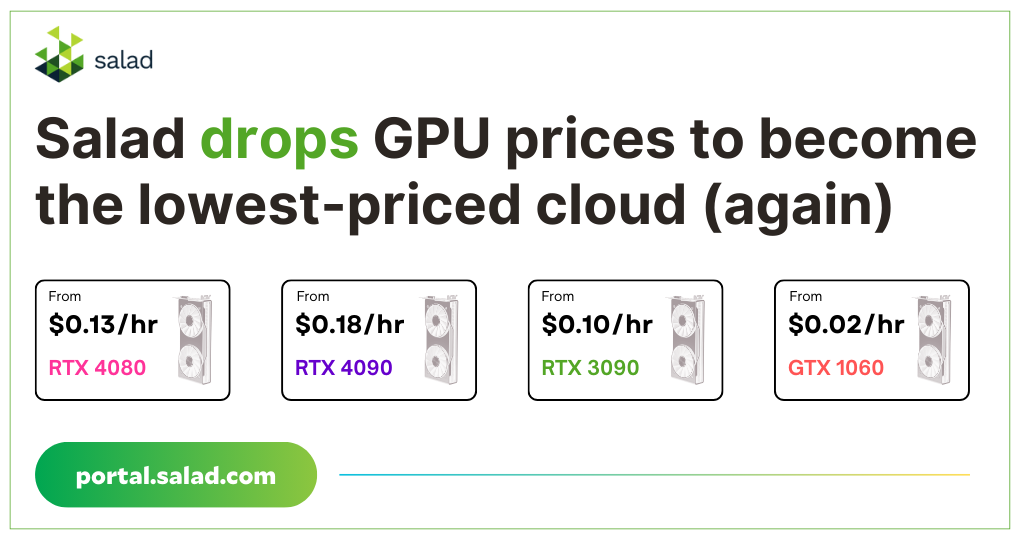
Salad chops Cloud GPU pricing We are excited to announce that we have reduced the prices on our entire fleet of GPUs, making SaladCloud the lowest priced cloud in the market – once again. You can view the updated GPU prices here or use this pricing calculator to estimate your savings with our new pricing. With these new prices, you can now rent an RTX 4090 for just $0.18/hr or an RTX 3090 for just $0.10/hr. And these are not just advertised prices. SaladCloud’s low pricing comes with unbeatable availability. With over 450,000 compute providers on the network today & growing, SaladCloud can supply more GPUs at lower cost as you scale. You can see the lowest GPU prices on SaladCloud here. These prices are for the Batch Priority Tier, which is explained later in this post. Why did we drop our prices? At Salad, our goal has always been to democratize cloud computing by bringing the 100 Million+ latent consumer GPUs to the market at affordable prices. Since launching SaladCloud officially last September, a few things have changed: Increased supply: We have over 450,000 GPUs contributing compute and 2 million+ GPU owners who are part of our compute-providing ecosystem. Customer feedback: We heard you loud and clear. Many SaladCloud customers run batch workloads on 100s of GPUs. For this cohort, access to a high number of GPUs is more important than 24*7 availability. Market dynamics: The GPU shortage has eased. This has led to lower GPU prices across other cloud providers (but with smaller scale). Increased adoption: This one’s simple. Today, dozens of companies run their workloads on SaladCloud. How does the new pricing work? In one word? Tiers. Priority tiers, to be specific. There are now four pricing tiers: Batch (lowest) to High. In this new priority tier system, where workloads compete for the best nodes based on their tier and therefore their pricing. The high priority tiers will be very close to our current pricing structure and the lower priority tiers will allow the SaladCloud network to keep its price advantage. Higher the priority, higher the availability. Salad nodes are interruptible by default but we have a large pool of GPU providers who keep their GPUs online 24*7 for a premium price. Example: An AI image generation tool requiring 100 GPUs 24*7 to serve inference to thousands of users will choose the highest priority pricing, ensuring round-the-clock availability. The lower the priority, the more cost savings there are. Example: Deploying long-running workloads like signal processing or molecular dynamics in batch. You can see the updated pricing for different priority levels below. How do I take advantage of this? That’s it. You are now on your way to scale without worries on SaladCloud while paying the lowest cost in the market. Contact us for even more cost savings For enterprise pricing and high-volume discounts: Email: [email protected] Website: portal.salad.com SaladCloudSaladCloud is the world’s largest distributed cloud computing network with 11,000+ daily GPUs and 450,000 GPUs contributing compute, all at the lowest cost in the market.
Molecular Simulation: OpenMM Benchmark on 25 Consumer GPUs, 95% Less Cost
Note: Prices have fallen considerably since this benchmark was conducted, so actual costs will be even lower! Benchmarking OpenMM for Molecular Simulation on consumer GPUs OpenMM is one of the most popular toolkits for molecular dynamics simulations, renowned for its high performance, flexibility, and extensibility. It enables users to easily incorporate new features, such as novel forces, integration algorithms, and simulation protocols, which can run efficiently on both CPUs and GPUs. This analysis uses typical biochemical systems to benchmark OpenMM on SaladCloud’s network of AI-enabled consumer GPUs. We will analyze simulation speed and cost-effectiveness in each case and discuss how to build high-performance and reliable molecular simulation workloads on SaladCloud. This approach supports unlimited throughput and offers over 95% cost savings compared to solutions based on data center GPUs. Are you running more than $250K/yr in MDS compute? Migrate to the lowest cost GPU cloud with free, white-glove engineering support. Why run Molecular Simulations on GPUs? GPUs have a high degree of parallelism, which means they can perform many calculations simultaneously. This is particularly useful for molecular simulations, which involve many repetitive calculations, such as evaluating forces between atoms. Using GPUs can significantly accelerate molecular simulations, offering nearly real-time feedback and allowing researchers to run more simulations in less time. This enhanced efficiency accelerates the pace of discovery and lowers computational costs. OpenMM benchmark methodology The OpenMM team has provided benchmarking code in Python, along with benchmarks of simulation speed for typical biochemical systems based on OpenMM 8.0. To conduct the benchmarking test, you can run the following scripts on the target environment: Following the OpenMM benchmarks, we used OpenMM 8.0 with CUDA 11.8 to build the container image. When running on SaladCloud, it first executes the benchmarking code, reports the test data to an AWS DynamoDB table, and then exits. Finally, the data is downloaded and analyzed using Pandas on JupyterLab. We primarily focused on two key performance indicators across three scenarios: ns/day stands for nanoseconds per day. It measures simulation speed, indicating how many nanoseconds of simulated time can be computed in one day of real-time. ns/dollar stands for nanoseconds per dollar. It measures cost-effectiveness, showing how many nanoseconds of simulated time can be computed for one dollar. Molecular simulations often operate on the timescale of nanoseconds to microseconds, as molecular motions and interactions occur very rapidly. Below are the three scenarios and the methods used to collect data and calculate the final results: Scenario Resource Simulation Speed (ns/day) Cost Effectiveness (ns/dollar) CPUs 16 vCPUs8GB RAM Create a container group with 100 instances with all GPU types on SaladCloud and run it for a few hours. Collect test data from thousands of unique Salad nodes, ensuring sufficient samples for each GPU type. Calculate the average performance for each GPU type. Pricing from the SaladCloud Price Calculator: $0.040/hour for 8 vCPUs, 8GB RAM$0.072/hour for 16 vCPUs, 8GB RAM $0.02 ~ $0.30/hour for different GPU types https://salad.com/pricing Consumer GPUs 8 vCPUs 8GB RAM 20+ GPU types Create a container group with 100 instances with all GPU types on SaladCloud and run it forofew hours. Collect test data from thousands of unique Salad nodes, ensuring sufficient samples for each GPU type. Calculate the average performance for each GPU type. Pricing from the SaladCloud Price Calculator: $0.040/hour for 8 vCPUs, 8GB RAM$0.072/hour for 16 vCPUs, 8GB RAM $0.02 ~ $0.30/hour for different GPU types https://salad.com/pricing Datacenter GPUs A100H100 Use the test data in the OpenMM benchmarks. Pricing from the AWS EC2 Capacity Blocks: $1.844/hour for 1 A100$4.916/hour for 1 H100 https://aws.amazon.com/ec2/capacityblocks/pricing/ It is worth mentioning that performance can be influenced by many factors, such as operating systems (Windows, Linux, or WSL) and their versions, CPU models, GPU models, and driver versions, CUDA framework versions, OpenMM versions, and additional features enabled in the runtime environment. It is very common to see different results between our benchmarks and those of others. Benchmark Results Here are five typical biochemical systems used to benchmark OpenMM 8.0, along with the corresponding test scripts: Model Description Test script 1 Dihydrofolate Reductase (DHFR), Explicit-PME This is a 159 residue protein with 2489 atoms. The version used for explicit solvent simulations included 7023 TIP3P water molecules, giving a total of 23,558 atoms. All simulations used the AMBER99SB force field and a Langevin integrator. python benchmark.py –platform=CUDA or CPU –seconds=60 –test=pme 2 Apolipoprotein A1 (ApoA1), PME This consists of 392 protein residues, 160 POPC lipids, and 21,458 water molecules, for a total of 92,224 atoms. All simulations used the AMBER14 force field. python benchmark.py –platform=CUDA or CPU –seconds=60 –test=apoa1pme 3 Cellulose, PME It consists of a set of cellulose molecules (91,044 atoms) solvated with 105,855 water molecules, for a total of 408,609 atoms. python benchmark.py –platform=CUDA or CPU –seconds=60 –test=amber20-cellulose 4 Satellite Tobacco Mosaic Virus (STMV), PME It consists of 8820 protein residues, 949 RNA bases, 300,053 water molecules, and 649 sodium ions, for a total of 1,067,095 atoms. python benchmark.py –platform=CUDA or CPU–seconds=60–test=amber20-stmv 5 AMOEBA DHFR, PME Full mutual polarization was used, with induced dipoles iterated until they converged to a tolerance of 1e-5. python benchmark.py –platform=CUDA or CPU –seconds=60 –test=amoebapme Model 1: Dihydrofolate Reductase (DHFR), Explicit-PME Model 2: Apolipoprotein A1 (ApoA1), PME Model 3: Cellulose, PME Model 4: Satellite Tobacco Mosaic Virus (STMV), PME Model 5: AMOEBA DHFR, PME Observations from the OpenMM GPU benchmarks: Here are some interesting observations from the OpenMM GPU benchmarks: The VRAM usage for all simulations is only 1-2 GB, which means nearly all platforms (CPU-only or GPU) and all GPU types can theoretically be utilized to run these models. For all models, the simulation speed of GPUs is significantly higher than that of CPUs, ranging from nearly hundreds of times in Model 1 to more than tens of thousands of times in Model 5. In general, high-end GPUs outperform low-end GPUs in terms of simulation speed. However, the flagship model of a given GPU family often surpasses the low-end models of the next family. As models become more complex with additional molecules and atoms, the performance differences between low-end
How to Run Cog Applications on SaladCloud

Introduction to Cog: Containers for Machine Learning Cog is an open-source tool designed to streamline the creation of inference applications for various AI models. It offers CLI tools, Python modules for prediction and fine-tuning, and an HTTP prediction server powered by FastAPI, letting you package models in a standard, production-ready container. When using the Cog HTTP prediction server, the main tasks involve defining two Python functions: one for loading models and initialization and another for performing inference. The server manages all other aspects, such as input/output, logging, health checks, and exception handling. It supports synchronous prediction, streaming output, and asynchronous prediction via webhooks. Its health-check feature is robust, offering various server statuses (STARTING, READY, BUSY, and FAILED) to ensure operational reliability. Some applications primarily use the Cog HTTP prediction server for easy implementation, while others also leverage its CLI tools to manage container images. By defining your environment with a ‘cog.yaml’ file and using Cog CLI tools, you can automatically generate a container image following best practices. This approach eliminates the need to write a Dockerfile from scratch, though it requires learning how to configure the cog.yaml file effectively. Running cog applications on SaladCloud All Cog-based applications can be easily run on SaladCloud, enabling you to build a massive, elastic, and cost-effective AI inference system across SaladCloud’s global, high-speed network in just minutes. Here are the main scenarios and suggested approaches. You can find these described in detail on SaladCloud’s documentation page. Scenario Description 1 Deploy the Cog-based images directly on SaladCloud Run the images without any modifications. If a load balancer is in place for inbound traffic, override the ENTRYPOINT and CMD settings of the images by using SaladCloud Portal or APIs, and configure the Cog HTTP prediction server to use IPv6 before starting the server. 2 Build a wrapper image for SaladCloud based on an existing Cog-based image Create a new Dockerfile without needing to modify the original dockerfile. Introduce new features and incorporate IPv6 support if applications need to process inbound traffic through a load balancer. 3 Build an image using Cog HTTP prediction server for SaladCloud Use only the Cog HTTP prediction server without its CLI tools.Directly work with the Dockerfile for flexible and precise control over the construction of the image. 4 Build an image using both Cog CLI tools and HTTP prediction server for SaladCloud Use Cog CLI tools and the cog.yaml file to manage the Dockerfile and image. Scenario 1: Deploy the Cog-based images directly on SaladCloud All Cog-based images can directly run on SaladCloud without any modifications, and you can leverage a load balancer or a job queue along with Cloud Storage for input and output. If applications need to process inbound traffic through a load balancer on SaladCloud, and since SaladCloud requires listening on an IPv6 port for inbound traffic while the Cog HTTP prediction server currently uses only IPv4 that cannot be configured via an environment variable, configuring the Cog server for IPv6 is necessary when running the images on SaladCloud. SaladCloud Portal and APIs offer the capability to override the ENTRYPOINT and CMD settings of an image at runtime. This allows the Cog server to be configured to use IPv6 with a designated command before starting the server. For detailed steps, please refer to the guide [https://docs.salad.com/container-engine/guides/run-cog#scenario-1-deploy-the-cog-based-images-directly-on-saladcloud], where we use two images built by Replicate, BLIP and Whisper, as examples, and provide a walkthrough to run these Cog-based images directly on SaladCloud. Scenario 2: Build a wrapper image for SaladCloud based on an existing Cog-based image If you want to introduce new features, such as adding an I/O worker to the Cog HTTP prediction server, you can create a wrapper image based on an existing Cog-based image, without needing to modify its original Dockerfile. In the new Dockerfile, you can begin with the original image, introduce additional features, and then incorporate IPv6 support if a load balancer is required. There are multiple approaches when working directly with the Dockerfile: you can execute a command to configure the Cog server for IPv6 during the image build process, or you can include a relay tool like socat to facilitate IPv6 to IPv4 routing. For detailed instructions, please consult the guide [https://docs.salad.com/container-engine/guides/run-cog#scenario-2-build-a-wrapper-image-for-saladcloud-based-on-an-existing-cog-based-image]. Scenario 3: Build an image using Cog HTTP prediction server for SaladCloud Using only the Cog HTTP prediction server without its CLI tools is feasible if you are comfortable writing a Dockerfile directly. This method offers flexible and precise control over the construction of the image. You can refer to this guide [https://docs.salad.com/container-engine/guides/deploy-blip-with-cog]: it provides the steps to leverage LAVIS, a Python Library for Language-Vision Intelligence, and Cog HTTP prediction server to create a BLIP image from scratch, and build a publicly-accessible and scalable inference endpoint on SaladCloud, capable of handling various image-to-text tasks. Scenario 4: Build an image using both Cog CLI tools and HTTP prediction server for SaladCloud If you prefer using Cog CLI tools to manage the Dockerfile and image, you can still directly build an image with socat support in case a load balancer is needed for inbound traffic. Please refer to this guide [https://docs.salad.com/container-engine/gateway/enabling-ipv6#ipv6-with-cog-through-socat] for more information. Alternatively, you can use the approaches described in Scenario 1 or Scenario 2 to add IPv6 support later. SaladCloud: The most affordable GPU Cloud for massive AI inference The open-source Cog simplifies the creation of AI inference applications with minimal effort. When deploying these applications on SaladCloud, you can harness the power of massive consumer-grade GPUs and SaladCloud’s global, high-speed network to build a highly efficient, reliable, and cost-effective AI inference system. If you are overpaying for APIs or need compute that’s affordable & scalable, this approach lets you switch workloads to Salad’s distributed cloud with ease. SaladCloudSaladCloud is the world’s largest distributed cloud computing network with 11,000+ daily GPUs and 450,000 GPUs contributing compute, all at the lowest cost in the market.
Blend cuts AI inference cost by 85% on SaladCloud while running 3X more scale

Startups often have a unique origin story. Blend is no different. Their origins lie in a Whatsapp channel and a local fireworks seller who printed 2000 physical posters for a peculiar reason. Blend is an AI copilot for e-commerce that helps sellers create professional product photos and designs in two clicks without hiring an agency. Their mission is to help entrepreneurs & small sellers grow sales online with compelling social graphics, product photos and SEO optimized copy. Today, Blend serves thousands of sellers, generating around 6000 images every hour on Salad’s distributed network. In this chat with Jamsheed Kamardeen, Chief Technology Officer (CTO) at Blend, we discuss their growth, the switch to a distributed cloud, inference cost & more. How did the idea for Blend come about? It was during Covid-19. We were in many Whatsapp groups looking for common problems faced by e-commerce sellers and we found a peculiar thing. There were many coaching sessions on how to use photo and design apps. Turns out, many of the sellers didn’t have a design team on their own but they needed to promote their products on social media, create posters, ads and the like. In fact, one of my cousins had a fireworks shop in a small village in India, and 70% of his sales came from posters on WhatsApp & Instagram. He’d go to a local printing shop and use the designer there to create & print out 2000 posters just so he could get a soft copy of the design for ads/promotions. He didn’t even bother distributing the physical posters. So, looking at the challenges local sellers face in promoting their products in a digital world – that’s where the idea came from. Photo editing and design apps have been out there for a long time, right? Weren’t they sufficient? Yes. There were a lot of apps & horizontal design tools that were good for designers. But the sellers aren’t designers. Plus, there is the paradox of choice. Most tools had 100s of templates, colors, etc, and needed a significant time commitment. Plus, often, the sellers ended up with a design that looked terrible because they tweaked too much or too little. So, we decided to create Blend to offload the design decision-making. Just upload a picture of the product and tell us what you want the offer to be. We’ll remove the background, put the product in appropriate settings, and deliver a design with text. Our goal was always to get them the final design in the fewest clicks possible. Today, you have Millions of downloads for your app. How crucial was the arrival of Generative AI in your user growth? Our initial version included background removal and adding in an appropriate background with some other features. But generative AI completely changed the game for us. For example, if a shoe store wants to do a 25% off Diwali promotion, all they have to do is upload the product photo and describe the offer and event. With Generative AI & Stable Diffusion models, we can identify it’s a shoe, have LLMs make the decision on what to paint & such, create an aesthetically pleasing urban background, automatically create appropriate text with the right color scheme, and deliver the copy. All it takes is a couple of clicks. This is what led to our massive user growth. Today, 40% of our users are individual sellers, so we are introducing a separate web app for them as well. With big growth comes big cloud bills. That must have been the case for Blend as well. What infrastructure challenges did you face here? Right. Since we are an AI first design company, inference became our biggest cost factor. Plus, we needed powerful GPUs to power Diffusion models. Sourcing GPUs to keep up with surge in demand quickly became a nightmare. The existing providers didn’t have the right options for a company like ours. AWS only had multi cluster A100s but there was no single cluster A100 option. GCP or Azure had them but they were expensive. So, we started looking for alternatives. We found a local provider who offered A100s for a cheaper price. But that came with reliability & scalability issues. We didn’t always have enough GPUs during times of higher traffic. I started losing a lot of sleep over this GPU shortage. We’re a small team, so when the machines go down, my sleep goes away. So again, we were looking for an alternative. That’s when we found SaladCloud. How has switching to SaladCloud impacted your cost and scaling? When we switched from the hyperscalers to A100s with a local provider, we didn’t really think the cost could go any lower. But switching to SaladCloud was eye-opening. On SaladCloud’s consumer GPUs, we are running 3X more scale at half the cost of A100s on our local provider and almost 85% less cost than the two major hyperscalers we were using before. Plus, SaladCloud is much more reliable. We’ve migrated all current and new workloads to SaladCloud. I’m not losing sleep over scaling issues anymore. On Salad’s consumer GPUs, we are running 3X more scale at half the cost of A100s on our local provider and almost 85% less cost than the two major hyperscalers we were using before. I’m not losing sleep over scaling issues anymore. Jamsheed Kamardeen, Chief Technology Officer (CTO) at Blend As a CTO, making the switch to a distributed cloud is a huge decision. What was the decision-making process? That’s a good question. I was very skeptical initially about the reliability of SaladCloud. From a technical standpoint, my major question was this: Compared to data centers with reliable internet, how am I going to have reliable workloads on random people’s computers on a distributed cloud? We needed to implement some solutions to make reliability strong, but it wasn’t as difficult as I initially perceived it to be. One thing that helped us was the engineering support offered by SaladCloud which made our system
Civitai powers 10 Million AI images per day with Salad’s distributed cloud
Civitai: The Home of Open-Source Generative AI “Our mission is rooted in the belief that AI resources should be accessible to all, not monopolized by a few” – Justin Maier, Founder & CEO of Civitai. With an average of 26 million visits per month, 10 million users & more than 200,000 open-source models & embeddings, Civitai is definitely fulfilling their mission of making AI accessible to all.Launched in November 2022, Civitai is one of the largest generative AI communities in the world today, helping users discover, create & share open-source, AI-generated media content easily. In Sep 2023, Civitai launched their Image Generator, a web-based interface for Stable Diffusion & one of the most used products on the platform today. This product allows users to input text prompts and receive image outputs. All the processing is handled by Civitai, requiring hundreds of Stable Diffusion appropriate GPUs on the cloud. Civitai’s challenge: Growing compute at scale without breaking the bank Civitai’s explosive growth, focus on GPU-hungry AI-generated media & the new image generator brought about big infrastructure challenges: Continuing with their current infrastructure provider and high-end GPUs would mean an exorbitant cloud bill, not to mention the scarcity of high-end GPUs. Democratized AI-media creation meets democratized computing on SaladCloud To solve these challenges, Civitai partnered with Salad, a distributed cloud for AI/ML inference at scale. Like Civitai, Salad’s mission also lies in democratization – of cloud computing. SaladCloud is a fully people-powered cloud with 1 Million+ contributors on the network and 10K+ GPUs at any time. With over 100 Million consumer GPUs in the world lying unused for 18-22 hrs a day, Salad is on a mission to activate the largest pool of compute in the world for the lowest cost. Every day, thousands of voluntary contributors securely share compute resources with businesses like Civitai in exchange for rewards & gift cards. “For the past few months, Civitai has been at the forefront of Salad’s ambitious project, utilizing Salad’s distributed network of GPUs to power our on-site image generator. This partnership is more than just a technical alliance; it’s a testament to what we can achieve when we harness the power of community, democratization, and shared goals”, says Chris Adler, Head of Partnerships at Civitai. Civitai’s partnership with Salad helped manage the scale & cost of their inference while supporting millions of users and model combinations on Salad’s unique distributed infrastructure. “By switching to Salad, Civitai is now serving inference on over 600 consumer GPUs to deliver 10 Million images per day and training more than 15,000 LoRAs per month” – Justin Maier, Civitai Scaling to hundreds of affordable GPUs on SaladCloud Running stable diffusion at scale requires access to and effective management of hundreds of GPUs, especially in the midst of a GPU shortage. Also important is understanding the desired throughput to determine capacity needs and estimated operating costs for any infrastructure provider. As discussed in this blog, expensive, high-end GPUs like the A100 & H100 are perfect for training but when serving AI inference at scale for use cases like text-to-image, the cost-economics break down. You get better cost-performance on consumer-grade GPUs, generating 4X-8X more images per dollar compared to AI-focused GPUs. With SaladCloud’s network of thousands of Stable Diffusion compatible consumer GPUs, Civitai had access to the most cost-effective GPUs, ready to keep up with the demands of its growing user base. Managing Hundreds of GPUs As Civitai’s Stable Diffusion deployment scaled, manually managing each individual instance wasn’t an option. Salad’s Solutions Team worked with Civitai to design an automated approach that can respond to changes in GPU demand and reduce the risk of human error. By leveraging our fully-managed container service, Civitai ensures that each and every instance of their application will run and perform consistently, providing a reliable, repeatable, and scalable environment for their production workloads. When demand changes, Civitai can simply scale up or down the number of replicas using the portal or our public API, further automating the deployment. Using SaladCloud’s public API, Civitai monitors model usage and analyzes the queues, customizing their auto scaling rules to optimize both performance and cost. “Salad not only had the lowest prices in the market for image generation but also offered us incredible scalability. When we needed 200+ GPUs due to a surge in demand, Salad easily met that demand. Plus their technical support has been outstanding” – Justin Maier, Civitai Supporting Millions of unique model combinations on SaladCloud at low cost Civitai’s image generation product supports millions of unique combinations of checkpoints, Low-Rank Adaptations (LoRAs), Variational Autoencoders (VAEs), and Textual Inversions. Users often combine these into a single image generation request. In order to efficiently manage these models on SaladCloud, Civitai combines a robust set of APIs and business logic with a custom container designed to respond dynamically to the image generation demands of their community. At its core, the Civitai image generation product is built around connecting queues with a custom Stable Diffusion container on SaladCloud. This allows the system to gracefully handle surges in image generation requests and millions of unique combinations of models. Each container includes a Python Worker that communicates with Civitai’s Orchestrator. The Worker application is responsible for downloading models, automating image generation with a sequence of calls to a custom image generation pipeline, and uploading resulting images back to Civitai. By building a generic application that is controlled by the Civitai Orchestrator, the overall system automatically responds to the latest trending models and eliminates the need to manually deploy individual models. If an image generation request is received for a combination of models that are already loaded on one or more nodes, the worker will process that request as soon as the GPU is available. If the request is for a combination of models that are not currently loaded into a worker, the job is queued up until the models are downloaded and loaded, then the job is processed. Civitai & Salad – A perfect match for democratizing AI “We
AI Batch Transcription Benchmark: Transcribing 1 Million+ Hours of Videos in just 7 days for $1800
AI batch transcription benchmark: Speech-to-text at scale Building upon the inference benchmark of Parakeet TDT 1.1B for YouTube videos on SaladCloud and with our ongoing efforts to enhance the system architecture and implementation for batch jobs, we successfully transcribed over 66,000 hours of YouTube videos using a SaladCloud container group consisting of 100 replicas running for 10 hours. Through this approach, we achieved a cost reduction of 1000-fold while maintaining the same level of accuracy as managed transcription services. In this deep dive, we will delve into what the system architecture, performance/throughput, time, and cost would look like if we were to transcribe 1 Million hours of YouTube videos. Prior to the test, we created the dataset based on publicly available videos on YouTube. This dataset comprises over 4 Million video URLs sourced from more than 5000 YouTube channels, amounting to approximately 1.6 million hours of content. For detailed methods of collecting and processing data from YouTube on SaladCloud, as well as the reference design and example code, please refer to the guide. System architecture for AI batch transcription pipeline The transcription pipeline comprises: Job Injection Strategy and Job Queue Settings The provided job filler supports multiple job injection strategies. It can inject millions of hours of video URLs into the job queue instantly and remains idle until the pipeline completes all tasks. However, a potential issue with this approach arises when certain nodes in the pipeline experience downtime and fail to process and remove jobs from the queue. Consequently, these jobs may reappear for other nodes to attempt processing, potentially causing earlier injected jobs to be processed last, which may not be suitable for certain use cases. For this test, we used a different approach: initially, we injected a large batch of jobs into the pipeline every day and monitored progress. When the queue neared emptiness, we started injecting only a few jobs, with the goal of keeping the number of available jobs in the queue as low as possible for a period of time. This strategy allows us to prioritize completing older jobs before injecting a massive influx of new ones. We can also implement autoscaling for time-sensitive tasks. By continually monitoring the job count in the queue, the job filler dynamically adjusts the number of Salad node groups. This adaptive approach ensures that specific quantities of tasks can be completed within a predefined timeframe while also offering the flexibility to manage costs efficiently during periods of reduced demand. For the job queue system, we set the AWS SQS Visibility Timeout to 1 hour. This allows sufficient time for downloading, chunking, buffering, and processing by most of the nodes in SaladCloud until final results are merged and uploaded to Cloudflare. If a node fails to process and remove polled jobs within the hour, the jobs become available again for other nodes to process. Additionally, the AWS SQS Retention Period is set to 2 days. Once the message retention quota is reached, messages are automatically deleted. This measure prevents jobs from lingering in the queue for an extended period without being processed for any reason, thereby avoiding wastage of node resources. Enhanced node implementation The transcription for audio involves resource-intensive operations on both CPU and GPU, including format conversion, re-sampling, segmentation, transcription, and merging. The more CPU operations involved, the lower the GPU utilization experienced. Within each node in the GPU resource pool on SaladCloud, we follow best practices by utilizing two processes: The inference process concentrates on GPU operations and runs on a single thread. It begins by loading the model, warming up the GPU, and then listens on a TCP port by running a Python/FastAPI app on a Unicorn server. Upon receiving a request, it invokes the transcription inference and promptly returns the generated assets. The benchmark worker process primarily handles various I/O- and CPU-bound tasks, such as downloading/uploading, pre-processing, and post-processing. To maximize performance with better scalability, we adopt multiple threads to concurrently handle various tasks, with two queues created to facilitate information exchange among these threads. Thread Description Downloader It reads metadata from the transcribing queue and subsequently sends a synchronous request, including the audio filename, to the inference server. Upon receiving the response, it forwards the generated texts along with statistics, and the transcribed audio filename to the reporting queue. The simplicity of the caller is crucial as it directly influences the inference performance. Caller The reporter, upon reading the reporting queue, deletes the processed audio files from the shared folder and manages post-processing tasks, including merging results and calculating real-time factor and word count. Eventually, it uploads the generated assets to Cloudflare, reports the job results to AWS DynamoDB, and deletes the processed jobs from AWS SQS. Reporter The reporter, upon reading the reporting queue, deletes the processed audio files from the shared folder and manages post-processing tasks, including merging results and calculating real-time factor and word count. Eventually, it uploads the generated assets to Cloudflare, reports the job results to AWS DynamoDB and deletes the processed jobs from AWS SQS. By running two processes to segregate GPU-bound tasks from I/O and CPU-bound tasks and fetching and preparing the next audio clips concurrently and in advance while the current one is still being transcribed, we can eliminate any waiting period. After one audio clip is completed, the next is immediately ready for transcription. This approach not only reduces the overall processing time for batch jobs but also leads to even more significant cost savings. 1 million hours of YouTube video batch transcription tests on SaladCloud We established a container group with 100 replicas, each equipped with 2vCPU, 12 GB RAM, and a GPU with 8GB or more VRAM on SaladCloud. This group remained operational for 180 hours (equivalent to 7.5 days), starting from 20:00 on the preceding Wednesday and concluding at 14:00 on the subsequent Thursday afternoon. During this period, we temporarily halted the pipeline for approximately 6 hours to implement changes in node implementation for testing various algorithms. Additionally, videos of
Introducing SSAP: Migrate to SaladCloud easily & save up to 80%
AI companies are overpaying for compute today Affordable, accessible compute is the defining challenge for many AI startups today. Recently, we’ve seen many news stories of innovative AI companies struggling with profitability or running out of cash. The reason? Exorbitant cloud bills and a race to secure high-end, AI-focused GPUs (There were even a couple startups that spent almost 50% of their fundraising on GPUs). Thankfully, the incumbent cloud/chip monopolies are being challenged by new GPU clouds, bringing the power of crowdsourced consumer GPUs for AI/ML workloads. There are three reasons this is happening: Wrong GPU choice: The mighty marketing machines at chipmakers have convinced the market that everything needs to be run on high-end, AI-focused GPUs that are hard to secure. A market made by the monopolies: The cloud monopolies have secured most of these high-end GPUs, creating a scarcity leading to expensive prices. As Chris Z. from Wing Venture Capital explains here, the rest of the market is just acting as a pipeline of capital to the chipmakers. Big margins for APIs: Managed Service Providers are much easier to first integrate with and come with low ongoing maintenance, but these come at a very high price. You are paying their margins! For example, a transcription service is priced from $0.30/hr (API provider) to $1.40/hr (A popular big cloud). Due to these reasons, many AI companies are massively overpaying for compute, especially serving inference, even though cost-effective options are available today. The urgent need for cloud migration in today’s AI landscape With profitability on top of their mind, the last year has seen many AI startups and enterprises alike take a multi-cloud approach and move production workloads to alternate clouds and consumer GPUs with lower prices and similar performance. However, infrastructure migration can be a huge challenge, especially for startups with minimal resources. There’s also the not-so-minor issue of benchmarking on a new GPU provider. To tackle these challenges and help resource-strapped companies migrate seamlessly to SaladCloud, we are introducing a new initiative – Salad Solutions Architect Program (SSAP). We know the name is a mouthful (No thanks to our marketing team here). However, the service has already helped 20+ AI companies migrate from another cloud provider or API service to SaladCloud, saving thousands of dollars per month in cloud costs. “Over time, inference will increasingly be price-performance oriented and older hardware will run some AI workloads — though inference demand will rise exponentially.” – Chris Zeoli, Partner at Wing Venture Capital (https://www.linkedin.com/pulse/great-gpu-shortage-richpoor-chris-zeoli-5cs5c/) What is SaladCloud? SaladCloud is a distributed GPU cloud powered by a secure network of 1000s of individual consumer GPUs. Due to our marketplace model, our GPU prices are the lowest in the market. Salad’s fleet of RTX GPUs is powering inference at scale for many AI companies today, including some of the Top 50 most visited AI websites in the world. Our benchmarks show similar or better cost-performance with consumer GPUs for many popular AI use cases like Text to Image, Speech to Text, Text to Speech, Computer Vision and more. All of this comes at least 50% less cost compared to serving inference with high-end GPUs on big clouds. Here is feedback from a Generative AI startup founder wondering why they are paying 5x more for a V100 to get 1/2 the performance from a RTX 4090. What is the Salad Solutions Architect Program (SSAP)? “As much as we want to migrate to SaladCloud (the pricing makes perfect business sense), we are very busy with a new product launch and frankly don’t have the resources or time to migrate. If your team can help on that end, we’d be on board right away” – Founder of a Top 50 Generative AI image generation platform The Salad Solutions Architect Program (SSAP) was born from repeated feedback similar to the one quoted above. We heard from AI startups that they were keen to migrate away from the big clouds to cut cloud costs but were hampered by two main challenges: With this feedback in mind, we designed SSAP to help companies migrate production workloads to SaladCloud easily. SSAP will essentially act as an extended team to companies helping them with benchmarking and migration. As part of the program, our team can assist with building, migrating, testing and benchmarking your workload on our highly scalable, cost performant cloud. Qualified teams will gain access to a dedicated Solutions Engineer from Salad who will assist in coding, adjusting backend architecture, configuring SaladCloud container groups, and benchmarking results across our diverse range of consumer GPUs. Once onboarded, our managed container service allows you to run stateless docker containers seamlessly across our network. How do I qualify for SSAP? To qualify, your compute requirements need to be a minimum of 10 GPUs (24GB VRAM class) running concurrently and consistently every month. Why should a company join the Salad Solutions Architect Program? For AI companies struggling with enormous cloud costs but strapped for resources, SSAP offers a way to seamlessly move production workloads to Salad’s distributed infrastructure. Some of the program benefits include: Free credits worth $5k-10k Qualifying companies get up to $10,000 in credits for a 2 month duration to test their use case on SaladCloud. SSAP allows new customers to test and integrate with SaladCloud risk free, as well as realising the cost benefits immediately. Coding done for you Developers and companies access SaladCloud via Salad Container Engine (SCE), a massively scalable orchestration engine, purpose-built to simplify container development. As long as you can containerize your model, switching to SaladCloud is a simple process. Our Solutions Architect will handle all the coding to get your containers up and running on SaladCloud. GPU benchmarking While we have published numerous benchmarks comparing the performance of popular AI models on various consumer GPUs, we understand the need to benchmark GPU performance on your own models. More importantly, the right GPU choice for a use case could save thousands of dollars. As part of SSAP, our Solutions Architect will benchmark your use case
AI Transcription Benchmark: 1 Million Hours of Youtube Videos with Parakeet TDT 1.1B for Just $1260, a 1000-fold cost reduction
Building upon the inference benchmark of Parakeet TDT 1.1B on SaladCloud and with our ongoing efforts to enhance the system architecture and implementation for batch jobs, we have achieved a 1000-fold cost reduction for AI transcription with SaladCloud. This incredible cost performance comes while maintaining the same level of accuracy as other managed transcription services. YouTube is the world’s most widely used video-sharing platform, featuring a wealth of public content, including talks, news, courses, and more. There might be instances where you need to quickly understand updates of a global event or summarize a topic, but you may not be able to watch videos individually. In addition, the millions of YouTube videos are a gold-mine of training data for many AI applications. Many companies have a need to do large-scale, AI transcription in batch today but cost is a prohibiting factor. In this deep dive, we will utilize publicly available YouTube videos as datasets and the high-speed ASR (Automatic Speech Recognition) model – Parakeet TDT 1.1B, and explore methods for constructing a batch-processing system for large-scale AI transcription of videos, using the substantial computational power of SaladCloud’s massive network of consumer GPUs across a global, high-speed distributed network. How to download YouTube videos for batch AI transcription The Python library, pytube, is a lightweight tool designed for handling YouTube videos that can simplify our tasks significantly. Firstly, pytube offers APIs for interacting with YouTube playlists, which are collections of videos usually organized around specific themes. Using the APIs, we can retrieve all the video URLs within a specific playlist. Secondly, prior to downloading a video, we can access its metadata, including details such as the title, video resolution, frames per second (fps), video codec, audio bit rate (abr), audio codec, etc. If a video on YouTube supports an audio codec, we can enhance efficiency by exclusively downloading its audio. This approach not only reduces bandwidth requirements but also results in substantial time savings, given that the video size is typically ten times larger than its corresponding audio. Below is the code snippet for downloading from YouTube: The audio files downloaded from YouTube primarily utilize the MPEG-4 audio (Mp4a) file format, commonly employed for streaming large audio tracks. We can convert these audio files from MP4A to MP3, a format universally accepted by all ASR models. Additionally, the duration of audio files sourced from YouTube exhibits considerable variation, ranging from a few minutes to tens of hours. To leverage massive and cost-effective GPU types, as well as to optimize GPU resource utilization, it is essential to segment all lengthy audio into fixed-length clips before inputting them into the model. The results can then be aggregated before returning the final transcription. Advanced system architecture for massive video transcription We can reuse our existing system architecture for audio transcription with a few enhancements: In a long-term running batch-job system, implementing auto scaling becomes crucial. By continuously monitoring the job count in the message queue, we can dynamically adjust the number of Salad nodes or groups. This adaptive approach allows us to respond effectively to variations in system load, providing the flexibility to efficiently manage costs during lower demand periods or enhance throughput during peak loads. Enhanced node implementation for both video and audio AI transcription Modifications have been made to the node implementation, enabling it to handle both video and audio for AI transcription. The inference process remains unchanged, running on a single thread and dedicated to GPU-based transcription. We have introduced additional features in the benchmark worker process, specifically designed to handle I/O and CPU-bound tasks and running multiple threads: Running two processes to segregate GPU-bound tasks from I/O and CPU-bound tasks provides the flexibility to update each component independently. Introducing multiple threads in the benchmark worker process to handle different tasks eliminates waiting periods by fetching and preparing the next audio clips in advance while the current one is still being transcribed. Consequently, as soon as one audio clip is completed, the next is immediately ready for transcription. This approach not only reduces the overall processing time and increases system throughput but also results in more significant cost savings. Massive YouTube video transcription tests on SaladCloud We created a container group with 100 replicas (2vCPU and 12 GB RAM with 20+ different GPU types) in SaladCloud. The group was operational for approximately 10 hours, from 10:00 pm to 8:00 am PST during weekdays, successfully downloading and transcribing a total of 68,393 YouTube videos. The cumulative length of these videos amounted to 66,786 hours, with an average duration of 3,515 seconds. Hundreds of Salad nodes from worldwide networks actively engaged in the tasks. They are all positioned in high-speed networks near the edges of the YouTube Global CDN (with an average latency of 33ms). This setup guarantees local access and ensures optimal system throughput for downloading content from YouTube. According to the AWS DynamoDB metrics, specifically writes per second, which serve as a monitoring tool for transcription jobs, the system reached its maximum capacity, processing approximately 2 videos (totaling 7500 seconds) per second, roughly one hour after the container group was launched. The selected YouTube videos for this test vary widely in length, ranging from a few minutes to over 10 hours, causing notable fluctuations in the processing curve. Let’s compare the results of the two benchmark tests conducted on Parakeet TDT 1.1B for audio and video: Parakeet Audio Parakeet Video Datasets English CommonVoice and Spoken Wikipedia Corpus English YouTube videos include public talks, news and courses. Average Input Length (s) 12 3515 Cost on SaladCloud (GPU Resource Pool and Global Distribution Network) Around $100100 Replicas (2vCPU,12GB RAM,20+ GPU types) for 10 hours Around $100100 Replicas (2vCPU,12GB RAM,20+ GPU types) for 10 hours Cost on AWS and Cloudflare(Job Queue/Recording System and Cloud Storage ) Around $20 Around $2 Node Implementation 3 downloader threads;Segmentation of long audio; Merging texts. Download audio from YouTube playlists and videos;3 downloader threads;Segmentation of long audio;Format conversion from Mp4a to MP3;Merging texts. Number of Transcription 5,209,130 68,393 Total Input Length