Stable diffusion 1.5 benchmark on consumer GPUs
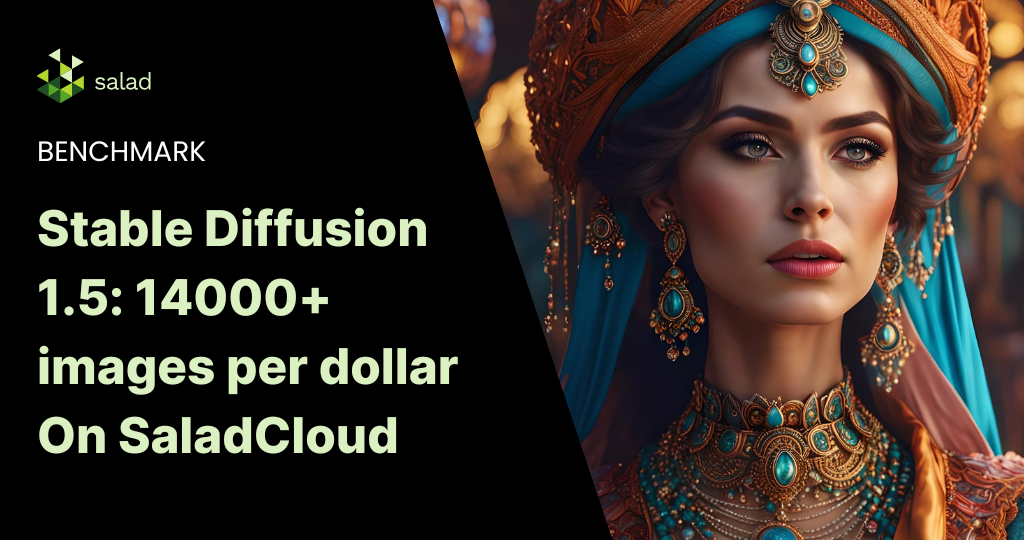
Since our last stable diffusion benchmark nearly a year ago, a lot has changed. While we previously used SD.Next for inference, ComfyUI has become the de facto image generation inference server for most professional use, owing to its high degree of flexibility, best in class performance, and it is nearly always first to support new models and technologies. SaladCloud has introduced new priority pricing levels, offering significantly lower prices on all GPUs, including top of the line models like RTX 4090. These factors combine to yield much lower per-image inference costs than we achieved previously, and with a much simpler build. In this Stable Diffusion 1.5 benchmark, we evaluate the performance of SD 1.5 on 3 consumer GPUs on SaladCloud: RTX 4090, RTX 3090 & RTX 3060 Ti.
Stable diffusion 1.5 benchmark design
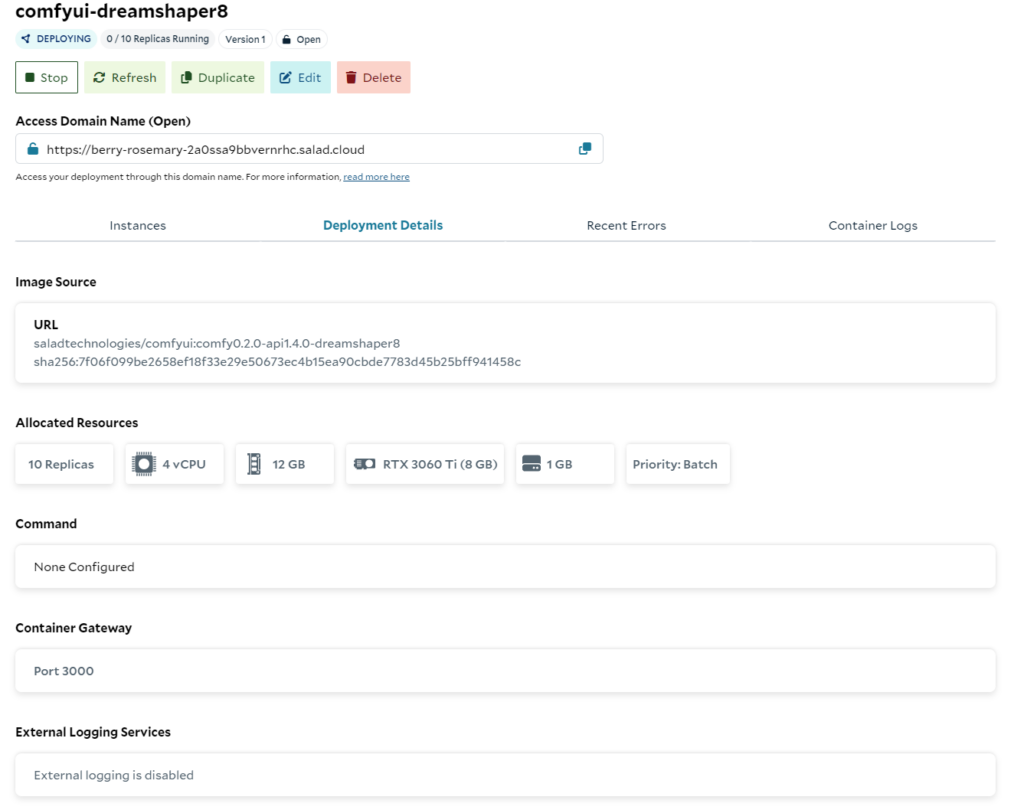
We deployed the “Dreamshaper 8 – ComfyUI” recipe on SaladCloud, using the default configuration, but setting priority to “batch”, and requesting 10 replicas. We started the benchmark when we had at least 8/10 replicas running.
We used Postman’s collection runner feature to simulate load , first from 10 concurrent users, then ramping up to 25 concurrent users. Each test ran for 1 hour. Our virtual users submit requests to generate 1 image like this:
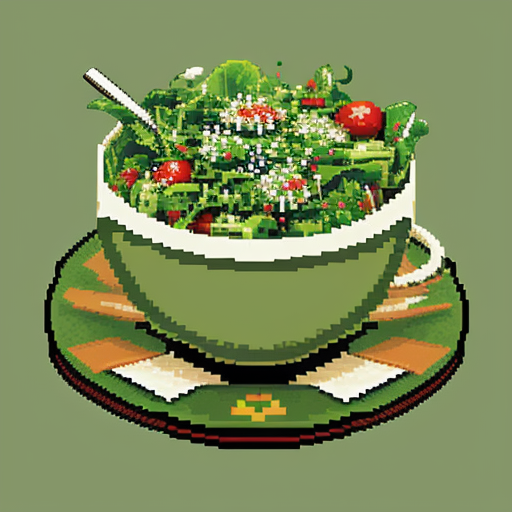
- Prompt: 8-bit video game art of a salad
- Resolution: 512×512
- Steps: 25
- Sampler: Euler
- Scheduler: Normal
- CFG Scale: 8
We duplicated this setup to test RTX 3060 Ti (8gb vram), RTX 3090 (24gb vram), and RTX 4090 (24gb vram).
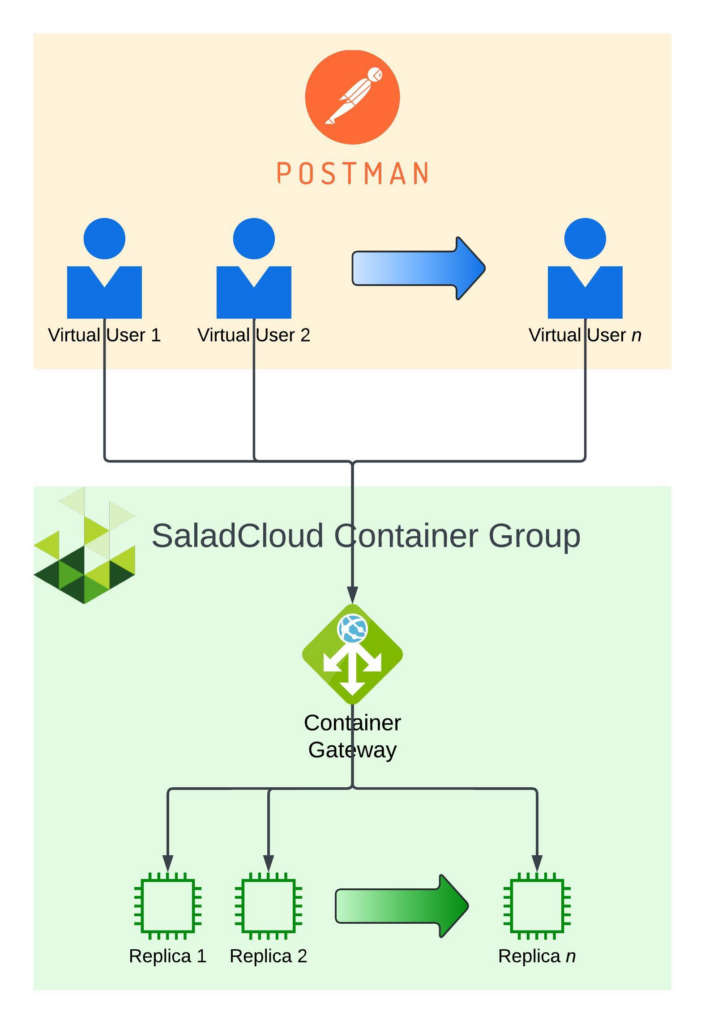
What we measured:
- Cluster Cost: Calculated using the maximum number of replicas that were running during the benchmark. Only instances in the ”running” state are billed, so actual costs may be lower.
- Reliability: % of total requests that succeeded.
- Optimum Load: This is the maximum number of virtual users before response time starts to climb. This is not always the absolute maximum throughput, but is typically where throughput starts to plateau.
- Response Time: Total round-trip time for one request to generate an image and receive a response, as measured on my laptop.
- Throughput: The number of requests succeeding per second for the entire cluster.
- Cost Per Image: A function of throughput and cluster cost.
- Images Per $: Cost per image expressed in a different way
Deployment on SaladCloud
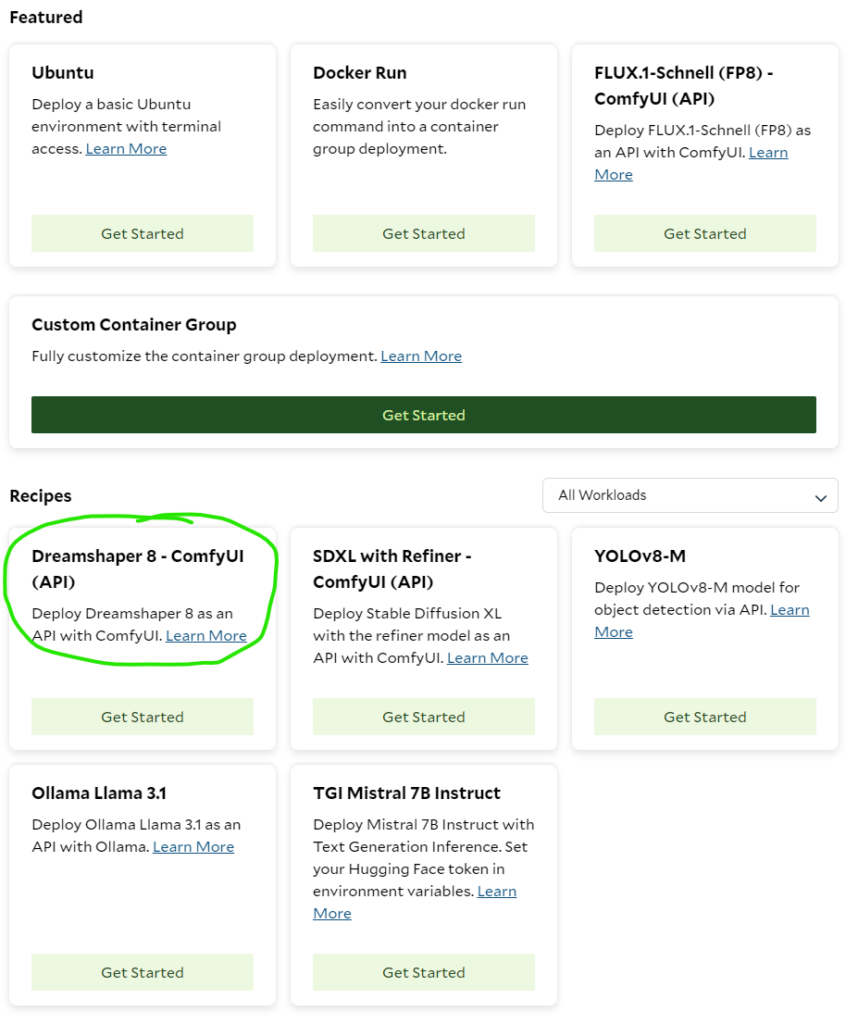
Click through the Dreamshaper 8 recipe, available from the Container Groups interface, and set replica count to 10. Optionally, set a non-default priority, and/or enable authentication. For our benchmark, we used “Batch” priority, and did not enable authentication.
Results from the stable diffusion 1.5 benchmark
While the RTX 4090 unsurprisingly had the best raw performance, the RTX 3090 came in very close, at better cost-performance. The default configuration with the RTX 3060 Ti showed remarkably good response times, and the best cost-performance.
Across all tests we can see that as load increases, average round-trip time increases for requests. We did not always have the maximum requested replicas running, which is expected. SaladCloud only bills for the running instances, so this really just means we’d want to set our desired replica count to a marginally higher number than what we actually think we need.
We saw a small number of failed requests that coincided with node reallocations. This is expected, and you should handle this case in your application via retries.
Interested in deploying on SaladCloud? Contact our support team today.
RTX 4090 (24gb vram)
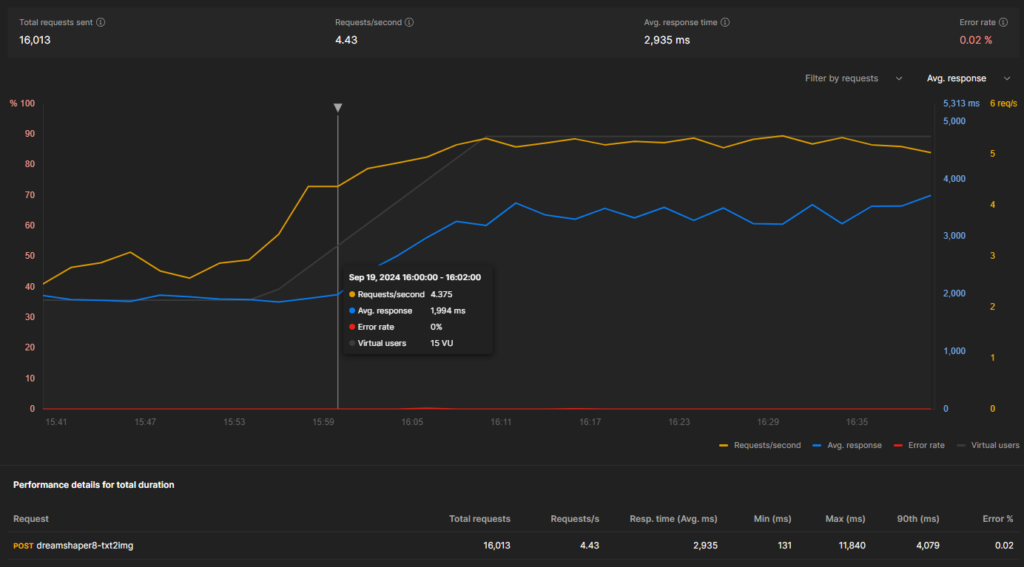
- Maximum running replicas during test: 10
- Total Cost of 10 running replicas at “batch” priority: $2.08 / hour ($0.00057777777 / second)
- Reliability: 99.98% of requests succeeded
- Optimum Load: 15 Virtual Users
- Performance at 10 Virtual Users:
- Average Response Time: 1.9 seconds
- Average Throughput: 2.78 requests / second
- Cost Per Image: $0.00020783373
- Images Per $: 4811
- Performance at 25 Virtual Users:
- Average Response Time: 3.4 seconds
- Average Throughput: 5.25 requests / second
- Cost Per Image: $0.00009904761
- Images Per $: 9086
- Performance over total duration:
- Average Response Time: 2.9 seconds
- Average Throughput: 4.43 requests / second
- Cost Per Image: $0.00013042387
- Images Per $: 7667
RTX 3090 (24gb vram)
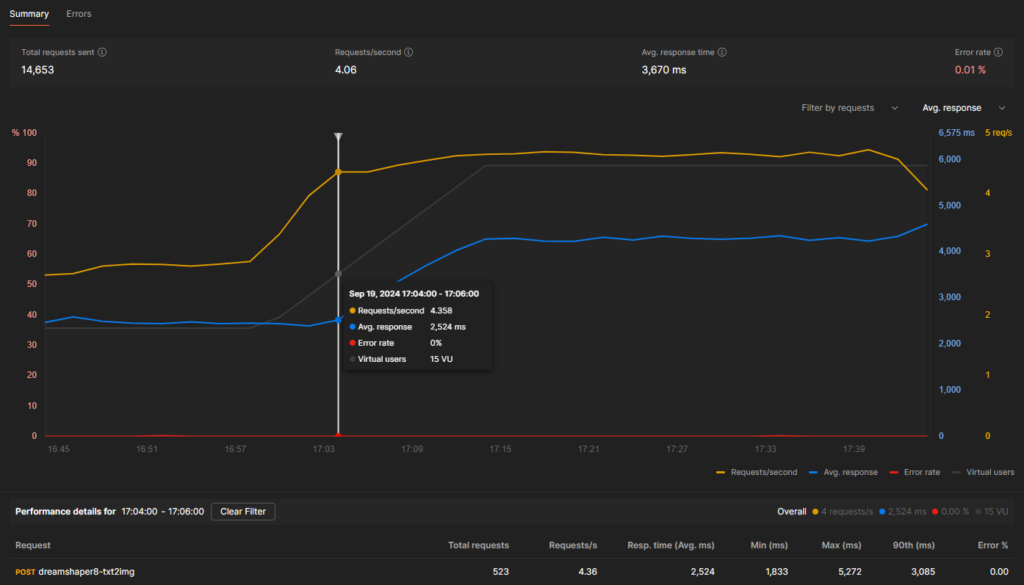
- Maximum running replicas during test: 10
- Total Cost of 10 running replicas at “batch” priority: $1.28 / hour ($0.00035555555 / second)
- Reliability: 99.99% of requests succeeded
- Optimum Load: 15 virtual users
- Performance at 10 Virtual Users:
- Average Response Time: 2.45 seconds
- Average Throughput: 2.84 requests / second
- Cost Per Image: $0.00012519561
- Images Per $: 7987
- Performance at 25 Virtual Users:
- Average Response Time: 4.3 seconds
- Average Throughput: 4.62 requests / second
- Cost Per Image: $0.00007696007
- Images Per $: 12993
- Performance over total duration:
- Average Response Time: 3.67s
- Average Throughput: 4.06 requests / second
- Cost Per Image: $0.00008757525
- Images Per $: 11418
RTX 3060 Ti (8gb vram) [default]
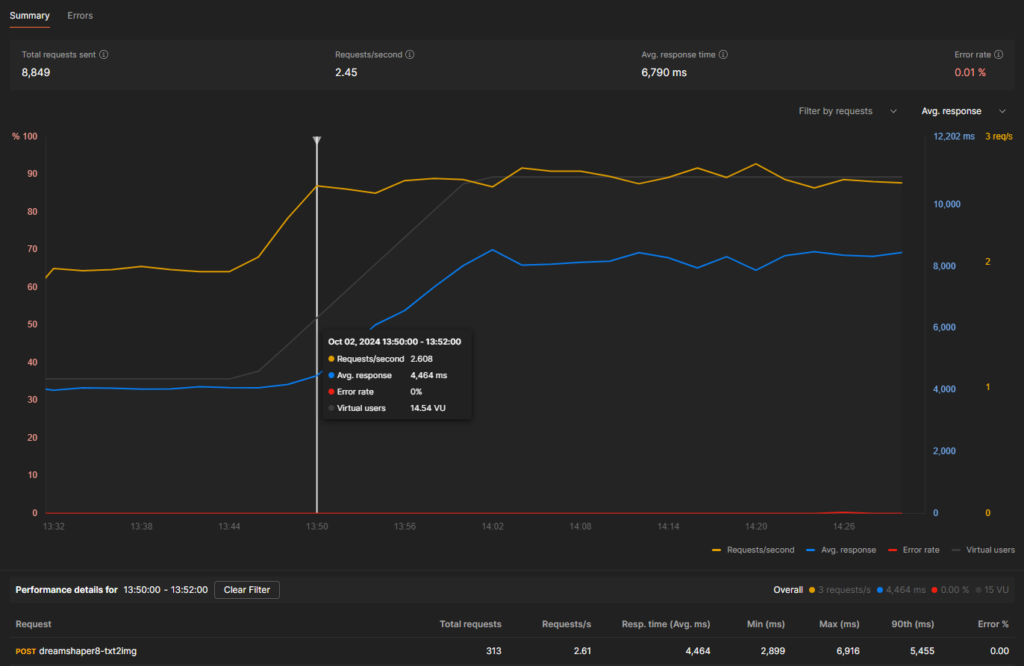
- Maximum running replicas during test: 10
- Total Cost of 10 running replicas at “batch” priority: $0.68 / hour ($0.00018888888 / second)
- Reliability: 99.99% of requests succeeded
- Optimum Load: 15 virtual users
- Performance at 10 Virtual Users:
- Average Response Time: 4.0 seconds
- Average Throughput: 1.96 requests / second
- Cost Per Image: $0.00009637187
- Images Per $: 10376
- Performance at 25 Virtual Users:
- Average Response Time: 8.3 seconds
- Average Throughput: 2.68 requests / second
- Cost Per Image: $0.00007048092
- Images Per $: 14188 🤯
- Performance over total duration:
- Average Response Time: 6.790s
- Average Throughput: 2.45 requests / second
- Cost Per Image: $0.0000770975
- Images Per $: 12970
Interested in free credits to try SaladCloud for Image Generation? Contact our support team today.