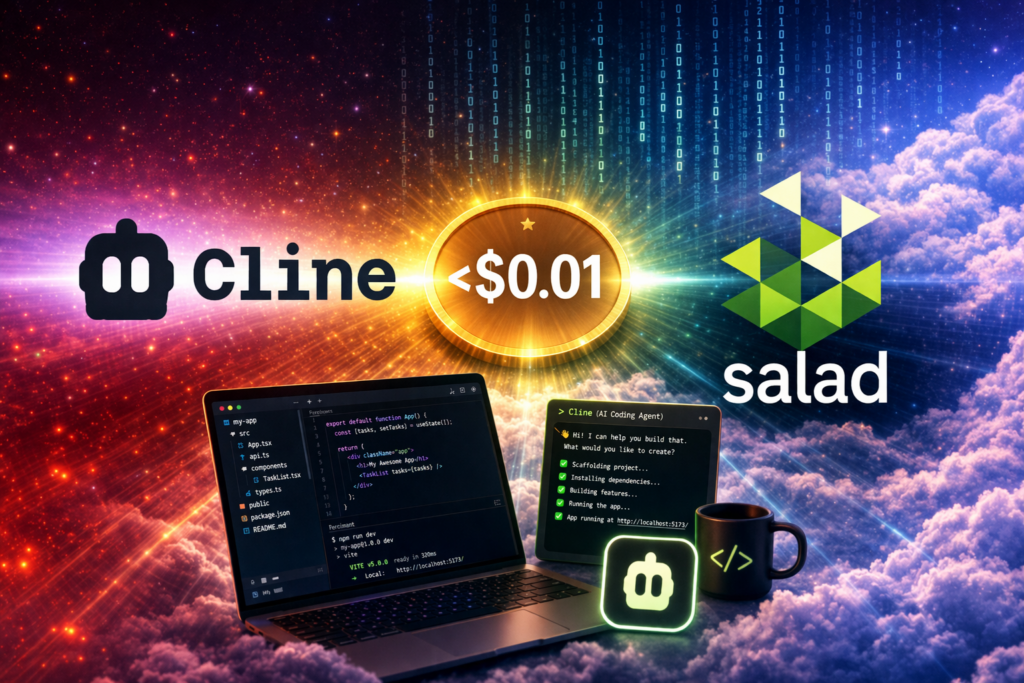
At SaladCloud, we’ve been working on easy-to-deploy recipes designed to cover most agentic use cases out of the box. When you run LLMs on Salad, you’re not worried about token usage – you pay per compute hour. That means your costs stay predictable, even when your agent sends hundreds of requests to the model, or your model performs a lot of thinking.
We have multiple recipe options to fit different needs. For less technical users, we provide fully preconfigured recipes that can be launched in minutes. For those who want more control, we also offer configurable recipes, or the option to build a container group entirely from scratch.
This post is the first in a series of integration articles where we’ll show how to use SaladCloud-hosted LLMs with popular agentic tools for real use cases. We’re starting with Cline, and the results honestly exceeded our expectations.
What is Cline?
Cline is an open-source AI coding agent available as a VS Code extension. Cline acts as a full agentic assistant: it can read project files, create new ones, edit existing code, run terminal commands, and even interact with a browser. You give it a task in natural language, and it plans and executes a multi-step workflow to complete it, depending on your settings and approval flow.
What makes Cline especially interesting for self-hosted setups is its built-in OpenAI-compatible provider option. You can point it at any OpenAI-compatible API endpoint, and it works without hacks, proxies, or workarounds.
Cline also supports using different models for Plan and Act modes. In other words, you can use a stronger reasoning model to architect development plan and a cheaper model to execute the code changes. For our tests, we used the same SaladCloud-hosted model for both, to see how far a single self-hosted model could go.
Setup: 5 Minutes from Zero to AI Coding Agent
The entire setup took us about 5 minutes:
Step 1: Deploy an LLM Recipe on SaladCloud
- Go to the SaladCloud portal and create an account if you do not already have one.
- Create an organization or choose an existing one, then click “Deploy a container group”.
- Select an LLM recipe. For our test, we used Qwen3.5-35B-A3B (llama.cpp) recipe. That was our strongest candidate for this integration.
- On the recipe page, provide a name for your container group and deploy. The rest is already preconfigured with recommended settings. If needed, you can still open Advanced Settings and adjust parameters or hardware.
- Once deployed, your endpoint will be live and serving an OpenAI-compatible API.
Once deployed, you’ll have a base URL (something like https://your-endpoint.salad.cloud/).
Step 2: Configure Cline in VS Code
- Install the Cline extension from the VS Code marketplace.
- Click the Cline icon in the sidebar, then click the gear icon to open settings.
- Under Act Mode (and optionally Plan Mode), configure:
– API Provider: OpenAI Compatible
– Base URL: Your SaladCloud endpoint URL (https://your-endpoint.salad.cloud)
– API Key: It is required, but it does not have to be a real key.
– If your recipe or container group is configured to require Container Gateway Authentication, add a custom header:
Header name: Salad-Api-Key
Header value: your Salad API key
– Model ID: The model name reported by your endpoint (e.g., qwen3.5-35b-a3b)
– If you want to use different models for Plan and Act modes, simply click on the checkbox. Cline lets you use different models for planning and execution. This is useful if you want a smarter model to do the reasoning and a cheaper model to write the code. We used our Qwen 3.5-35B for both modes throughout all tests.
Here is a an example:

That’s it. Cline is now connected to your SaladCloud-hosted LLM.
Test 1: Marketing Landing Page – 3 Minutes, About $0.01
For the first task, we wanted something simple, but visual and self-contained: a landing page for a product.
Result: Cline created a complete, polished index.html in a single pass. The glassmorphism cards rendered correctly, the CTA toggle worked, responsive breakpoints were set properly, and the overall design looked professional rather than template-generated.
Time: From the moment we gave Cline the task to the moment it returned a finished landing page, the process took about 3 minutes
Cost: At SaladCloud’s hourly rates, that put the total cost at roughly $0.008 on the lowest-cost tier, or around $0.015 on high-priority RTX 4090 capacity.
Test 2: Snake Game – 10 Minutes, About $0.04
Next, we pushed the setup further by asking it to build a fully playable browser game with polished visuals. A Snake game is one of the most common benchmarks used to test coding model capabilities. Here is the exact prompt we used:
Build a fully playable Snake game as a single HTML file with inline CSS and JS. No frameworks, no external dependencies except Google Fonts (Inter).
Gameplay:
Classic snake mechanics: arrow keys to move, eat food to grow, game over if you hit the wall or yourself
Snake starts in the center, moving right, length of 3
Food spawns at random positions, never on the snake body
Score counter that increments by 10 for each food eaten
Speed increases slightly every 5 food items eaten
Smooth animation using requestAnimationFrame with a grid-step movement system
Visual Design (make it look premium, not retro):
Dark background matching the NeonTask palette: deep purple (#1a0a2e)
Snake body: electric violet (#7c3aed) gradient segments with a subtle glow effect, head segment slightly brighter
Food: cyan (#06b6d4) pulsing circle with a soft glow animation
Grid: very subtle grid lines (barely visible, rgba white at 0.03)
Trail effect: faint afterglow behind the snake that fades out
When food is eaten, a brief particle burst animation at the food location
UI around the game:
Centered game canvas (600x600 on desktop, full-width on mobile)
Score display top-left of canvas with a clean sans-serif look
High score display top-right (persisted in localStorage)
“GAME OVER” overlay when you die: shows final score, high score, and a “Play Again” button — overlay should have a frosted glass effect
Start screen: “Press SPACE to start” with the snake logo/title “NEON SNAKE” in a glowing text style
Pause with SPACE during gameplay, show a subtle “PAUSED” overlay
Mobile support:
Swipe controls for touch devices (detect swipe direction for up/down/left/right)
Canvas scales to fit screen width on mobile with proper aspect ratio
Polish:
Smooth color transitions on the snake body (gradient from head to tail, brighter at head)
Score counter should animate/pop when incrementing
Game over screen should fade in, not just appearThe Timeout Problem
This was the only real issue we ran into during the test. The game required significantly more code than the landing page, and our model’s responses were timing out before Cline could receive the complete output. SaladCloud’s Container Gateway has a 100-second request timeout, and trying to generate more than 500 lines of code in a single pass pushed beyond that limit.
The fix was simple: we restructured the prompt to force incremental work. Instead of letting Cline attempt the entire file at once, we prepended these instructions:
Important: Work incrementally. Do NOT try to write all files at once. Break this into small steps, create and save each file one at a time, and make sure each step works before moving on.And that is it. This one “system” prompt solved the problem completely. Each step produced a shorter completion that fit within the timeout window, and we got a working game at every stage.Even if something broke at step five, we still had a playable version from step four and Cline only had to retry the latest step.
The result was a fully playable Snake game with all the requested visual effects:
Time: 10 minutes
Cost: approximately $0.027 to $0.050, depending on priority tier
Test 3: GPU Cloud Monitoring Dashboard – 15 Minutes, About $0.06
For the final test, we wanted to prove this setup could handle a multi-file Python project, not just single HTML files. We asked Cline to build a GPU Cloud Monitoring Dashboard using Streamlit and Plotly – a simulated version of what a SaladCloud node monitoring tool might look like.
The task involved:
- Three separate files:
app.py,data.py, andrequirements.txt - Generating fake data for 50 GPU nodes with realistic attributes (utilization, temperature, earnings, job assignments)
- Time-series fleet metrics over 24 hours
- Four KPI metrics with delta indicators at the top
- A Plotly area chart for fleet utilization over time
- A sortable, filterable node status table
- A recent jobs table with color-coded status
- A GPU temperature heatmap
- A sidebar with filters and a refresh button
- Dark theme option
We used the same incremental approach from the Snake game, asking Cline to create each file one at a time and build up functionality step by step.
Result: A fully functional, multi-file Streamlit dashboard. The Plotly charts rendered with the custom color scheme, the sidebar filters worked correctly, and the fake data generation produced realistic-looking distributions. Running “streamlit run app.py” produced a professional-looking monitoring dashboard on the first try:
Time: 15 minutes
Cost: $0.04–$0.075
Cost Breakdown
Here’s what the entire session cost on SaladCloud, running Qwen 3.5-35B-A3B on an RTX 4090:
| Task | Time | Cost (Low Priority) | Cost (High Priority) |
|---|---|---|---|
| Landing Page | 3 min | $0.008 | $0.015 |
| Snake Game | 10 min | $0.027 | $0.050 |
| GPU Monitor Dashboard | 15 min | $0.040 | $0.075 |
| Total | 28 min | $0.075 | $0.140 |
Three complete applications: a polished landing page, a playable browser game, and a multi-file Python dashboard for less than fifteen cents. Completing all the tasks required a little over 2 million tokens.
What We Learned
It works. A 35B model running on consumer-grade GPU cloud hardware can easily power an agentic coding workflow. Not just “generate a function” but a full project scaffolding, multi-file coordination, and iterative debugging.
Incremental prompting is essential for self-hosted models. The single biggest improvement came from telling Cline to work in smaller steps. This isn’t just about avoiding timeouts but also produces better results because the model can verify each piece works before building on it.
The Qwen 3.5 family performs well above what you might expect for its size. Unsloth’s UD-Q4_K_XL quantization retains enough quality for high-quality code generation, and we did not even need to switch to any frontier model for planning any of the three tests.
With all the breakthroughs of the last several years, it takes a lot to feel genuinely surprised by new AI capabilities. ut what is possible today with the latest models, new agentic tools, and SaladCloud’s low-cost hosting still feels crazy. Building a landing page or a prototype for a new project can now take only minutes and cost almost nothing. The real limit is not the technology or the budget any more – it is only your imagination.